Introduction
This article walks through the process of setting up Active Response for our supported cloud services: Google Workspace and Microsoft 365.
This article covers the following topics:
What you'll do
Enable Active Response for supported cloud services so Field Effect MDR can automatically take action on compromised accounts (for example, locking a user account or revoking sessions).
Before you Begin
Make sure:
- You have administrator permissions and credentials for the service.
- A response policy is configured (Balanced is recommended)
- (Partners): Ensure the Organization Selector is set to the correct client before making changes.
Active Response behavior depends on your response policy. More aggressive policies allow stronger automated actions.
Enable Active Response for an Integration
Your cloud subscription must support audit logging, and it must be enabled.
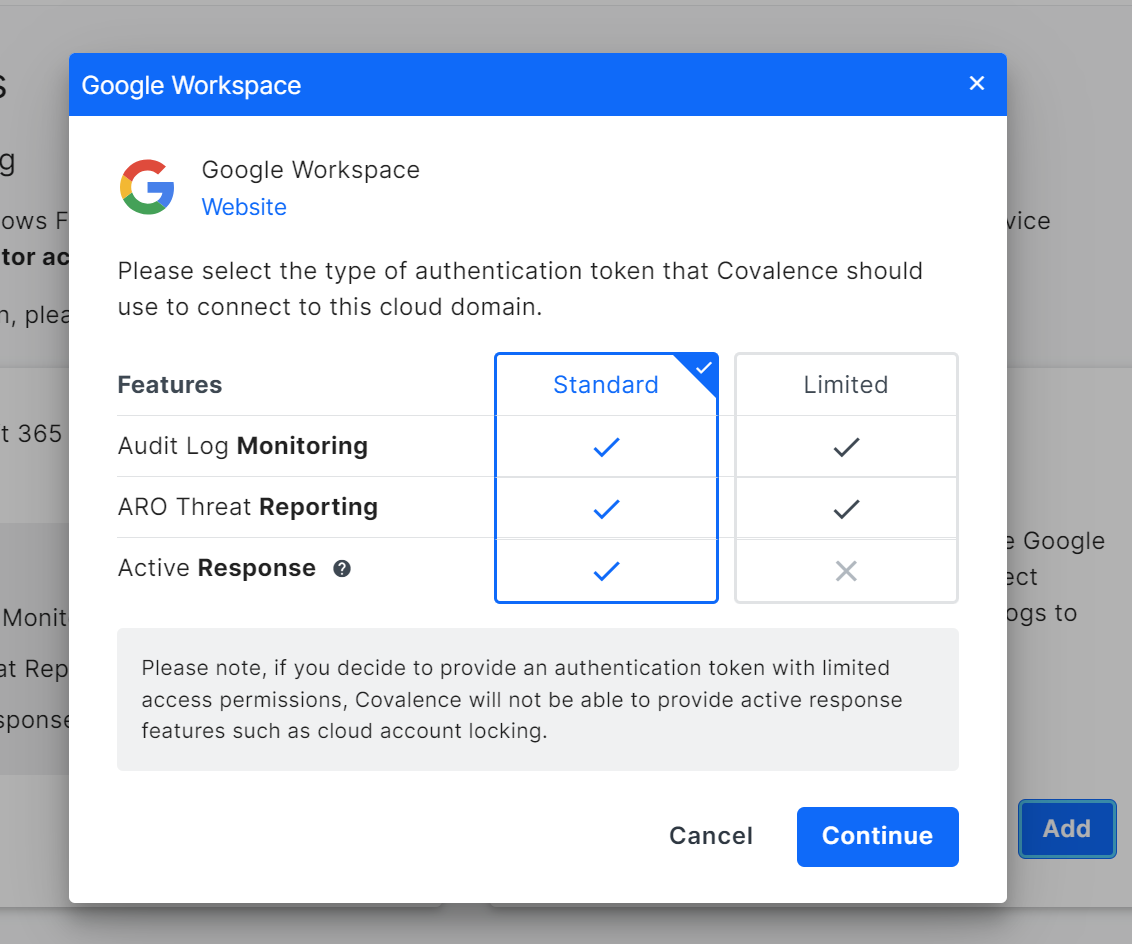
Selecting Standard or Limited in the cloud integration menu will apply to the cloud service. If the Aggressive Active Response policy is set, Standard will apply the Aggressive policy to the cloud service. If an organization uses the Limited Active Response policy, selecting Standard will then apply the Limited Active Response policy to the cloud service.
To enable Active Response for a new integration, enable Active Response (above) and:
- ln into the MDR Portal and navigate to Administration > Integrations.
- Select the supported cloud service and click Add.
- Select between Standard (Active Response enabled) or Limited (No active Response
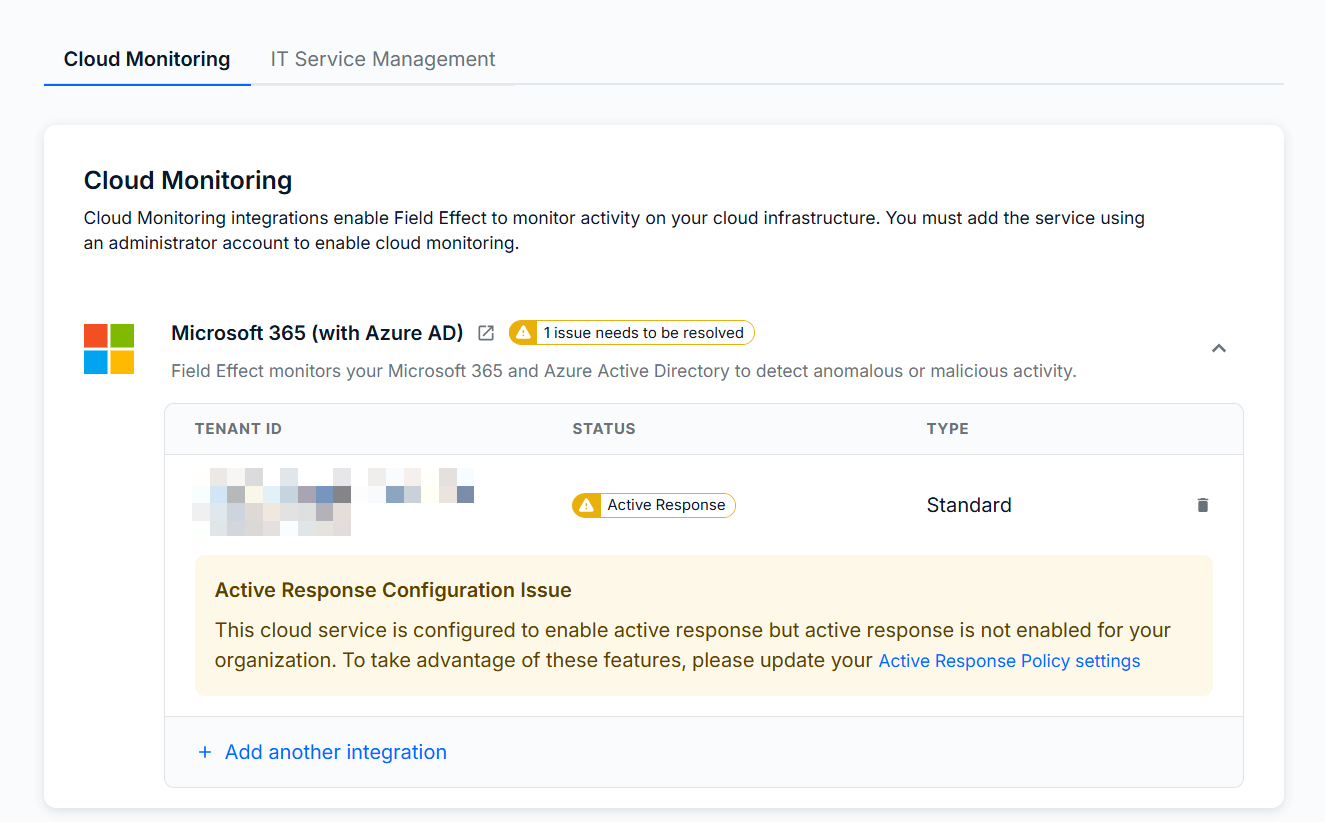
If you choose Standard, but haven't yet enabled Active Response, you will see an Active Response Configuration Issue on the integration prompting you to select your response policy.
Was this article helpful?
That’s Great!
Thank you for your feedback
Sorry! We couldn't be helpful
Thank you for your feedback
Feedback sent
We appreciate your effort and will try to fix the article