Introduction
Dark Web Monitoring is an add-on feature. To learn more about the feature, and how to add it to your MDR deployment, see Dark Web Monitoring: Additional Domains & Continuous Scans
The Dark Web Monitoring Report helps you identify sensitive information related to your organization that has appeared on the dark web. The information presented in the report is partially obfuscated to protect the privacy of affected individuals.
After reading this article, you will understand:
- What information is included in the report
- How to interpret your organization's risk score
- How to review exposed records
- What actions to take when exposures are discovered
Field Effect generates Dark Web Monitoring Reports monthly and makes them available on the Reports page in the MDR Portal. Field Effect aims to publish these reports on the same schedule as the Risk Report and Monthly Report. Because the report relies on data provided by a third-party source, occasional delays can occur. If a report isn't available when expected, it may still be awaiting updated source data; Field Effect publishes it as soon as processing is complete.
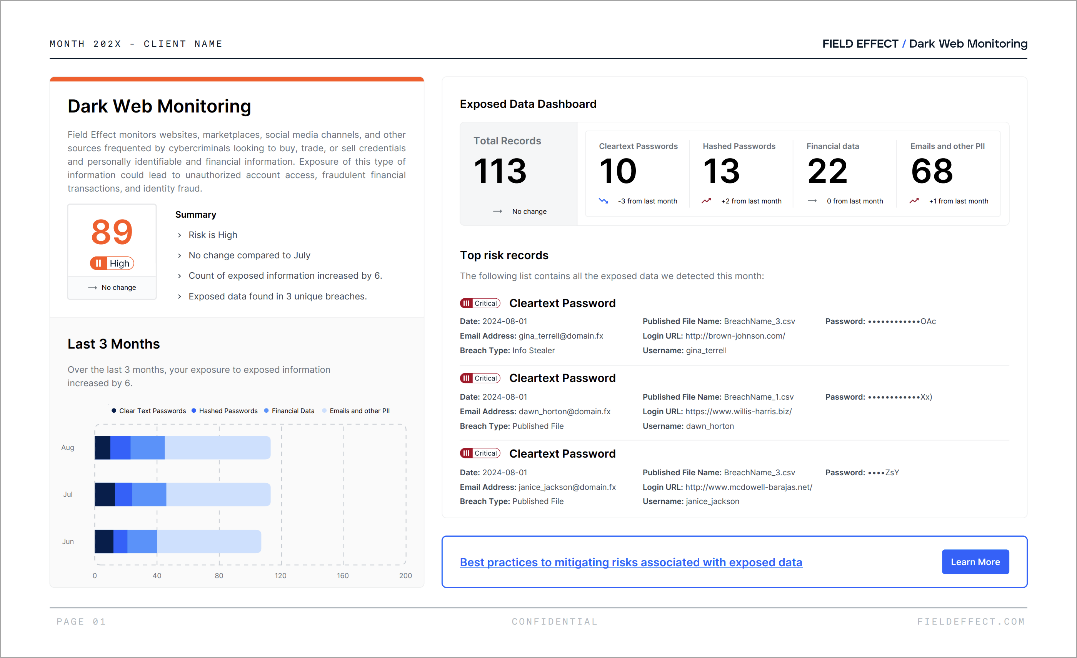
How to Read the Report
Review the report in the following order:
- Review your severity score and trend.
- Examine the dashboard summary.
- Investigate the highest-risk records.
- Review the supplemental tables for all affected users and records.
- Begin remediation activities based on your findings.
What Information Is Included?
Field Effect monitors sources commonly used by cybercriminals to buy, sell, and share compromised information, including dark web forums, marketplaces, messaging channels, and other underground sources.
The report may identify exposures involving:
- Clear text passwords
- Hashed passwords
- Financial information
- Personally identifiable information (PII)
The report's data generally comes from two sources:
Published Files
Published files contain information from publicly released breach datasets that threat actors have shared or distributed online.
Examples of exposed information may include:
- Usernames
- Email addresses
- Passwords
- Financial information
- Personal information
Info Stealer Data
Info stealers are a category of malware designed to collect sensitive information from compromised devices. These records may contain:
- Usernames
- Passwords
- Browser-stored credentials
- Session cookies
- Financial information
Because info stealers collect data directly from compromised endpoints, these exposures can present a significant risk if credentials remain active.
Daily Dark Web Monitoring
Organizations can supplement the monthly report with Daily Dark Web Monitoring.
When Field Effect detects new exposures, the MDR Portal generates alerts, so security teams can investigate and respond before the next monthly report comes out.
Daily monitoring can help organizations:
- Identify exposures sooner
- Respond to compromised accounts more quickly
- Reduce the window of opportunity for threat actors
Understanding Severity Scores
Each report includes a severity score that represents the overall risk associated with newly discovered exposures during the reporting period.
Severity levels help prioritize response efforts:
| Severity | Description |
|---|---|
| Critical | Information that threat actors can use immediately, such as valid credentials or complete financial data. |
| High | Information that becomes highly valuable when combined with other exposed data. |
| Medium | Information that threat actors typically need to analyze or process further before they can abuse it. |
| Low | Information that presents limited risk on its own but may contribute to larger attacks when combined with other exposed information. |
When reviewing findings, prioritize remediation activities for Critical and High severity records first.
Understanding the Report
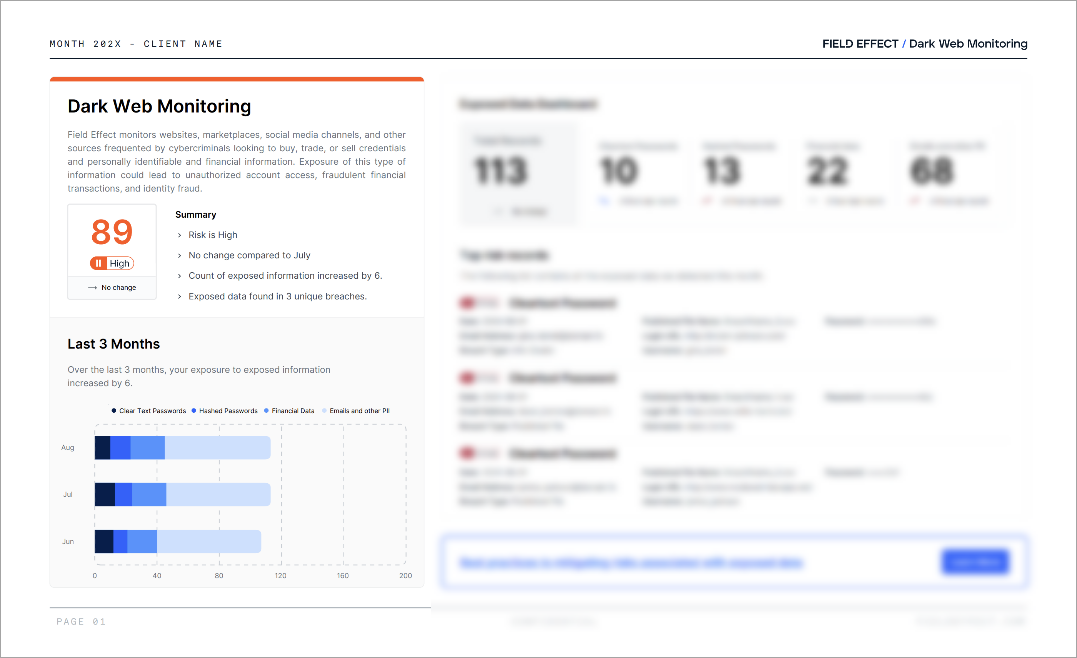
Current Score and Historical Trends
The report's summary section displays:
- Your current severity score
- Historical scores from previous reporting periods
- An overview of changes since the last report
Use this section to determine whether your organization's exposure risk is increasing, decreasing, or remaining stable over time.
A rising score typically indicates new or higher-risk exposures, while a declining score suggests risk reduction and successful remediation efforts.
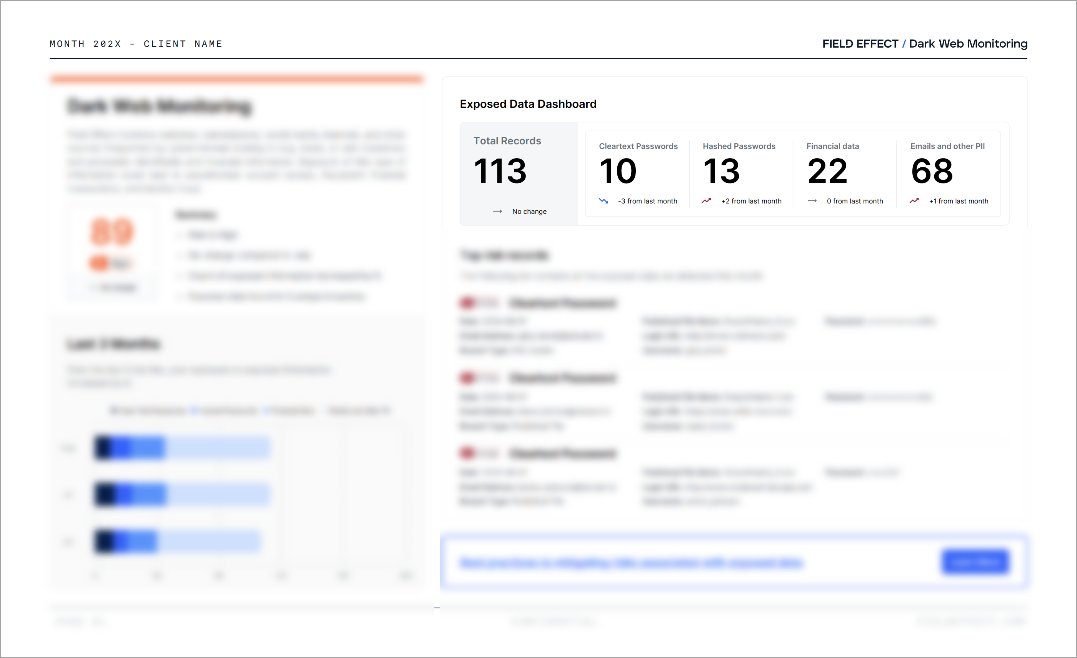
Exposed Data Dashboard
The dashboard provides a high-level summary of all exposed data identified during the reporting period.
This section highlights:
- Total exposed records
- Exposure types
- Severity distribution
- Month-over-month changes
Use the dashboard to quickly understand the overall volume and nature of newly discovered exposures.
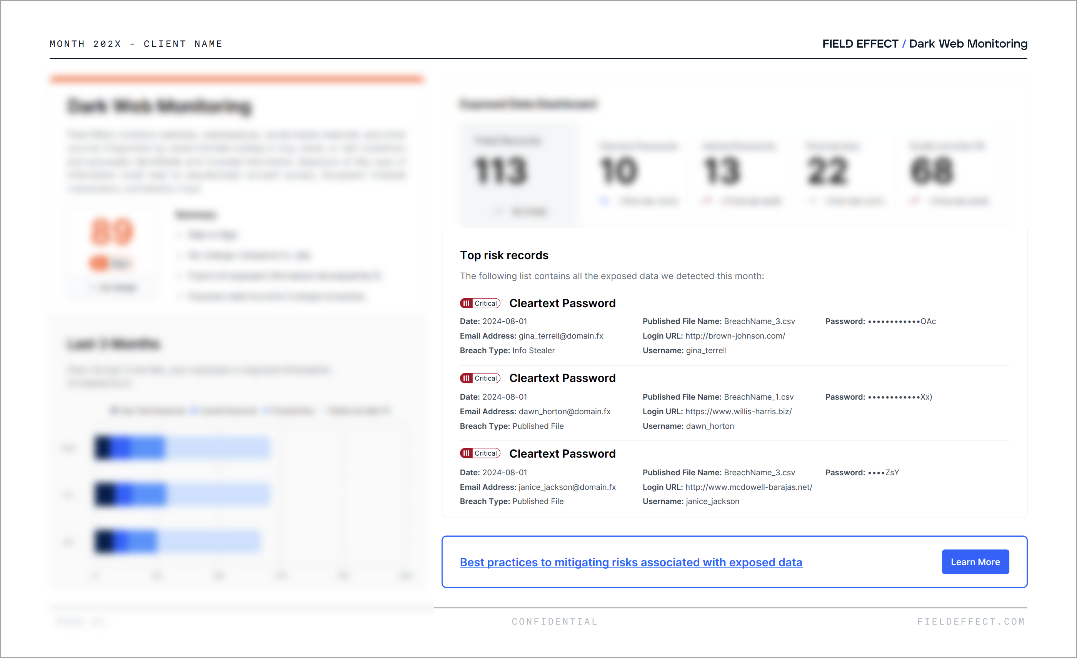
Top Risk Records
The Top Risk Records section highlights the most severe exposures discovered during the reporting period.
Each record may include:
- Publication date
- Email address
- Source breach
- Published file name
- Login URL
- Username
- Password (when available)
Review these records first because they represent the highest-priority remediation opportunities.
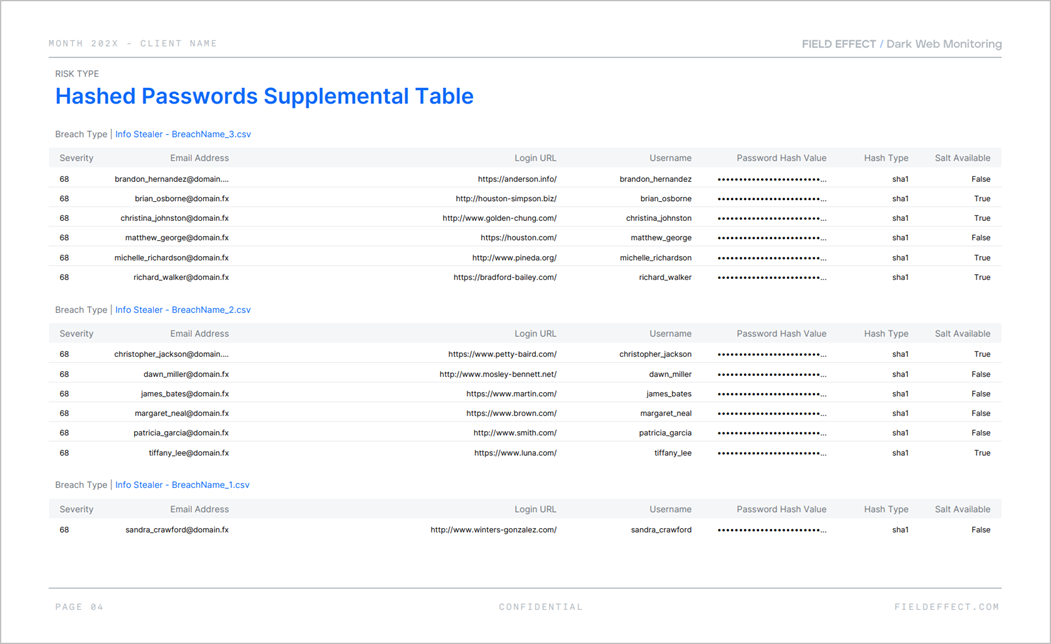
Supplemental Tables
The Supplemental Tables section contains the complete list of identified exposures.
The report may group records by:
- Exposure type
- Source breach
- Discovery date
- Severity
Use this section to:
- Identify affected users
- Determine which services were involved
- Prioritize remediation efforts
- Support internal investigations
- Communicate with impacted individuals
Recommended Response Actions
If you identify exposed information, take the following actions in priority order.
1. Reset Compromised Passwords
Immediately change passwords associated with exposed accounts.
When possible:
- Use strong, unique passwords
- Avoid reusing passwords across services
- Revoke active sessions if supported
2. Enable Multi-Factor Authentication
Enable multi-factor authentication (MFA) on all supported accounts.
MFA significantly reduces the likelihood of unauthorized access when attackers have exposed credentials.
3. Notify Affected Users
Inform affected individuals about the exposure and provide guidance on:
- Resetting passwords
- Recognizing phishing attempts
- Monitoring account activity
- Reporting suspicious behavior
4. Review Authentication and Access Logs
Investigate account activity associated with exposed credentials.
Look for:
- Impossible travel events
- High-risk IP addresses
- Logins originating from anonymization services
- Unusual authentication patterns
- Unauthorized access attempts
5. Strengthen Password Practices
Review your organization's password policies and encourage users to create strong, unique credentials for all accounts.
Consider implementing:
- Password managers
- Password screening against known breached credentials
- Regular security awareness training
6. Reduce Corporate Email Exposure
Where possible, encourage employees to avoid using corporate email addresses for personal services and non-business websites.
Limiting exposure can reduce the likelihood of business accounts appearing in future breach datasets.
7. Continue Monitoring for New Exposures
Dark web data is constantly changing as new breaches and compromised information become available.
Review each monthly report and investigate newly discovered records as they appear. If you use Daily Dark Web Monitoring, review alerts as the MDR Portal generates them.
Key Takeaway
The Dark Web Monitoring Report helps your organization understand what sensitive information is exposed, assess the potential risk associated with those exposures, and prioritize remediation efforts. By focusing first on Critical and High severity findings and taking prompt remediation action, organizations can help reduce the risk of unauthorized access, account compromise, and fraud.
Was this article helpful?
That’s Great!
Thank you for your feedback
Sorry! We couldn't be helpful
Thank you for your feedback
Feedback sent
We appreciate your effort and will try to fix the article