Introduction
This article outlines the process of navigating to, and adjusting, your Field Effect MDR account settings.
Procedure
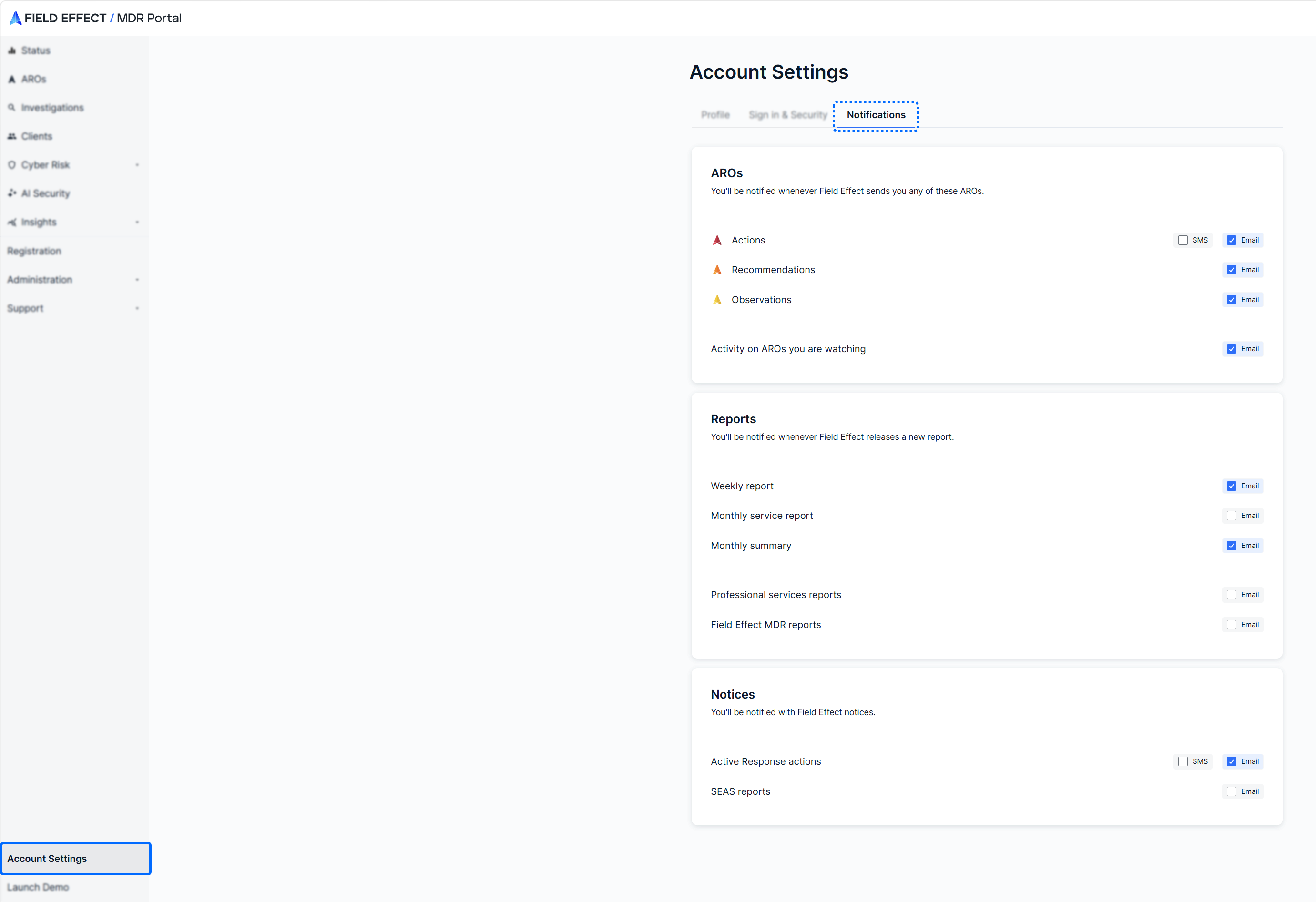
To access and adjust your Field Effect MDR account settings:
- Log into the MDR Portal and navigate to Account Settings in the sidebar.
- From the Notifications tab, set your notifications as required.
Was this article helpful?
That’s Great!
Thank you for your feedback
Sorry! We couldn't be helpful
Thank you for your feedback
Feedback sent
We appreciate your effort and will try to fix the article