Introduction
Field Effect Vision is a partner-centric interface that provides a centralized view of all your end-client organization's cybersecurity posture. From a single interface, you can monitor security alerts, track risks, review observations, manage assets, perform actions, and access reports that help you understand and improve your security environment.
Vision's key capabilities include:
- Unified Data: View dashboards from the MDR Portal along with MDR SIEM dashboards.
- Fleet Management: Manage AROs and devices across your entire fleet of clients.
- Client Management: Drill into a specific client for deeper metrics.
- Action Center: Perform privileged actions like isolating endpoints, running scans, restarting systems, and updating signatures.
This article introduces the main areas of Vision and helps you become familiar with the platform's navigation and key features.
Navigation Overview
Vision has two levels of depth: Fleet Management (1) and Connected Client (2). Each level has its own sidebar, which you can expand or collapse: (3).
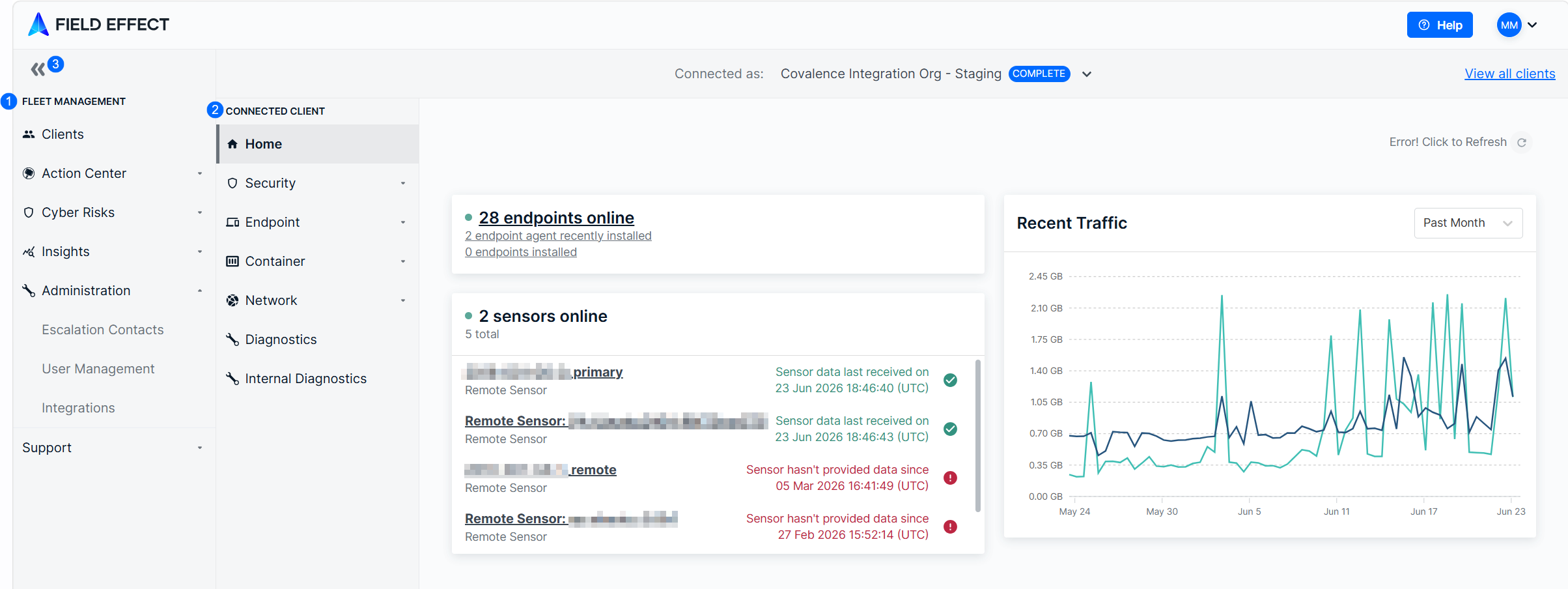
Fleet Management
This is Vision's default level, and these pages present data for all your end clients. There are several pages grouped across the following sections:
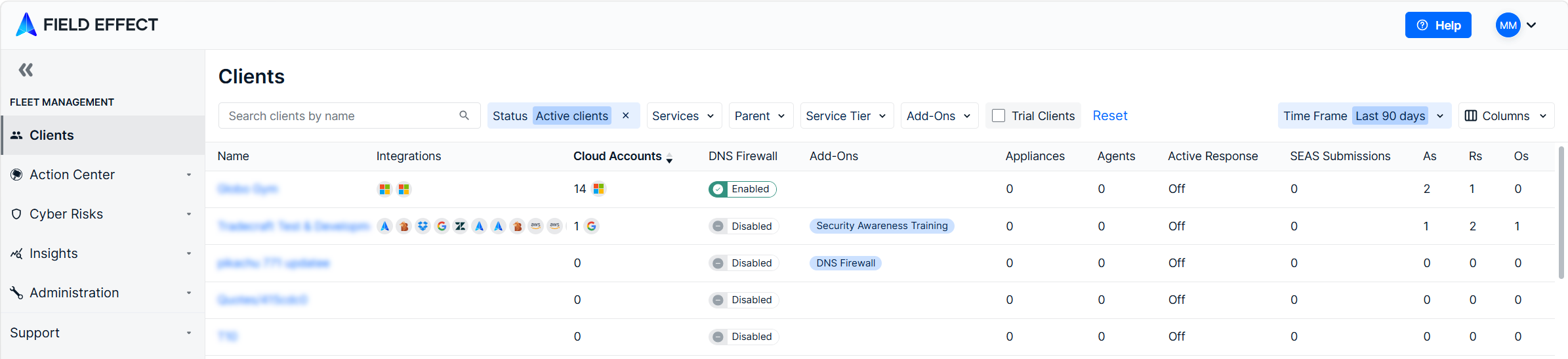
Connected Client
To drill into the connected client view, find the client in the Clients page and either:
- Click their name in the table
- Open the details pane and click View Client.

The connected client level has several sections containing many views that present data for the selected client. You can also use the client selector to change clients while at the connected client level.
There are several pages, views, and tabs available at this level and they are organized across the following sections:
Action Center
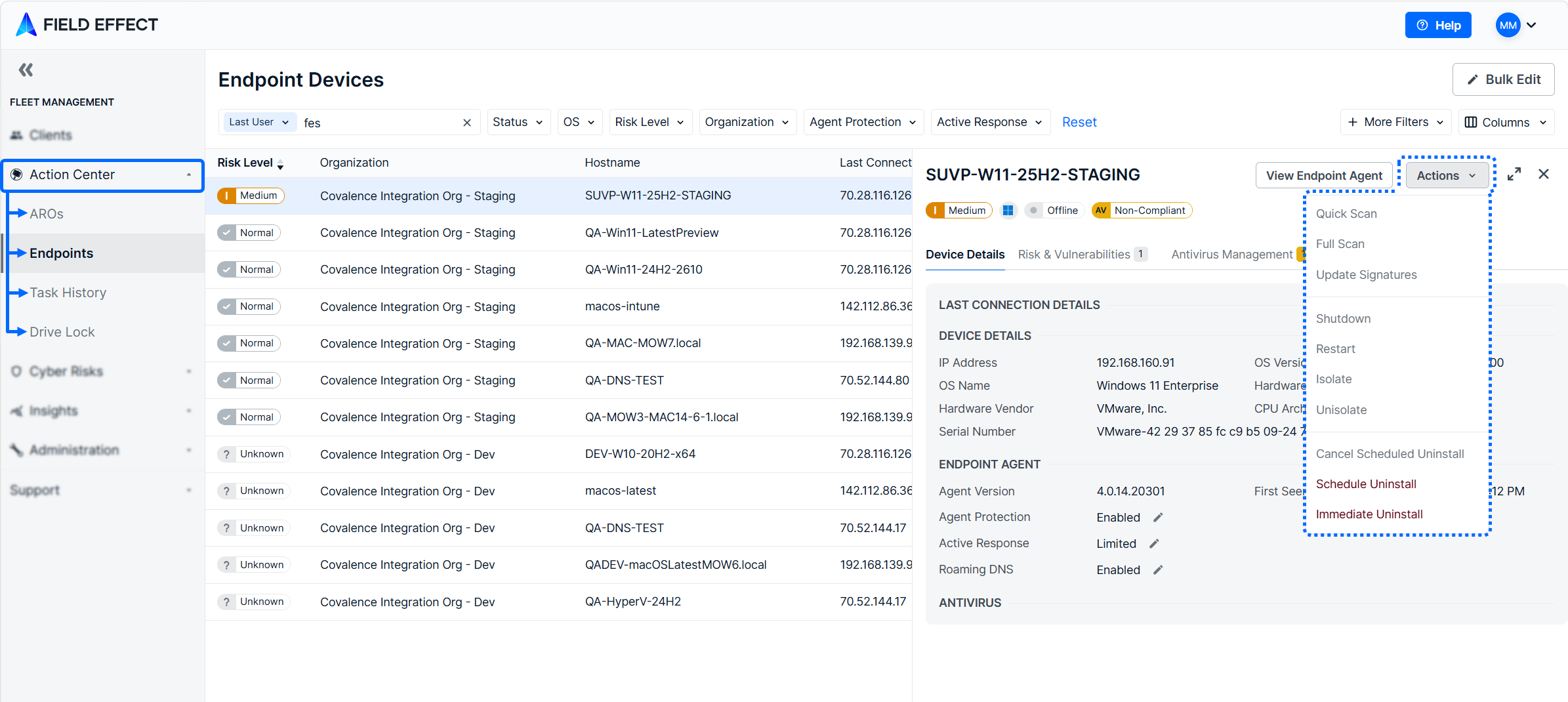
The Action Center is a collection of Fleet Management pages that allow you to:
- View AROs, endpoints, and vulnerabilities.
- Perform remediation actions against endpoint devices and cloud accounts.
- Track actions that have been performed.
The Action Center includes the following pages:
Was this article helpful?
That’s Great!
Thank you for your feedback
Sorry! We couldn't be helpful
Thank you for your feedback
Feedback sent
We appreciate your effort and will try to fix the article