Introduction
Whether you are a single organization using our service, or a partner managing Field Effect for multiple end-client organizations, there are several tools available to you that make up the Field Effect platform and service.
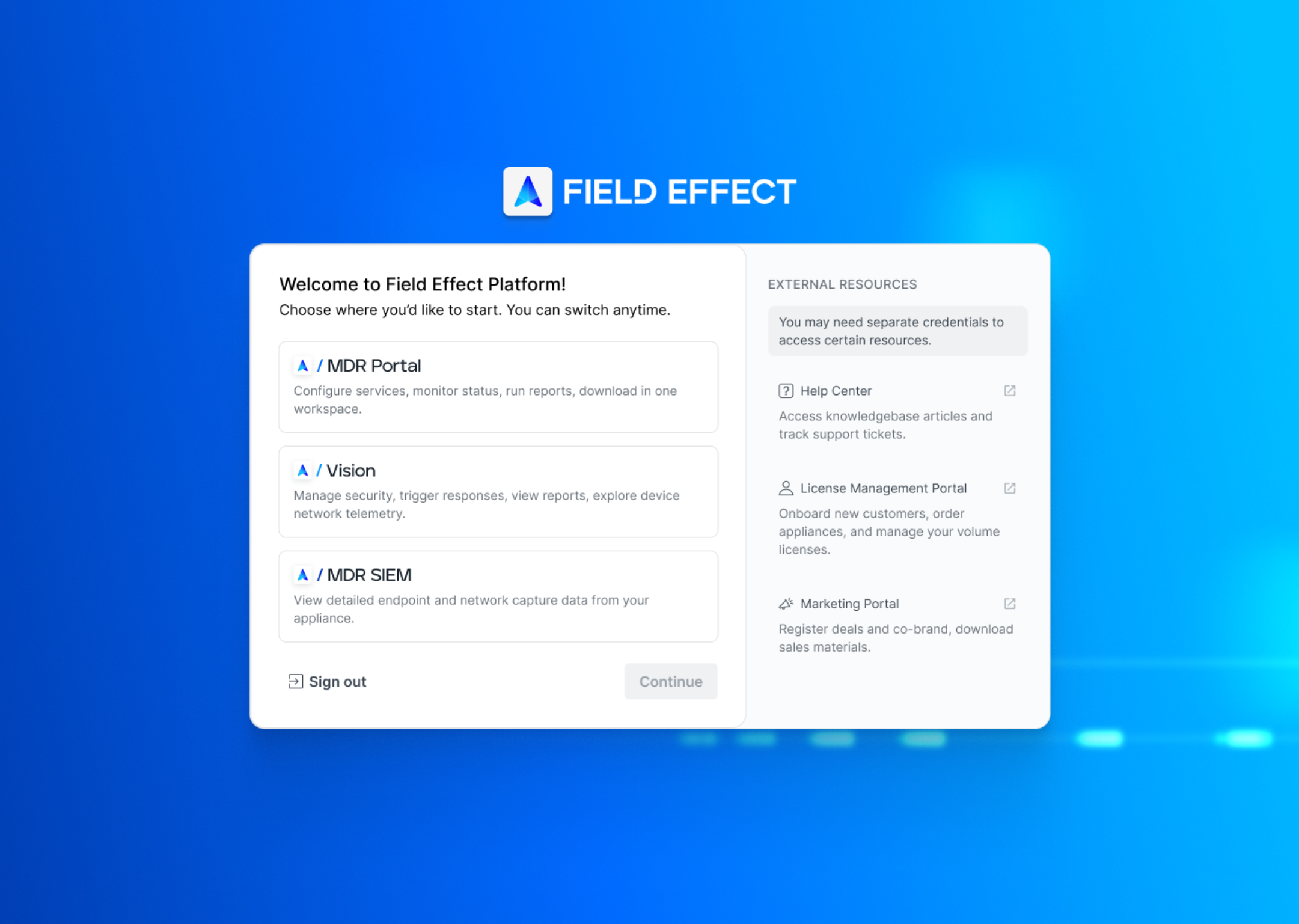
When navigating and logging into my.fieldeffect.com, you are presented with our landing page that make all of these resources available from a single location, and grouped into relevant sections.
This article provides an explanation of each tool, and links to Help Center resources to learn more about a specific area of the platform.
Tools
The right side of the landing page stores links to the tools that you have access to for the Field Effect MDR service. These can include the MDR Portal, Vision, and the MDR SIEM (formerly the Appliance Dashboard).
MDR Portal
The MDR Portal is the main interface where you will interact with our services. From here, you will receive and act on your AROs, view dashboard reporting, as well as set up and configure the features included with your service tier.
From the MDR Portal, you can:
- Update information about your organization, contacts, and critical resources for the service.
- Configure MDR features and services such as the DNS Firewall, Active Response, and more.
- View and download our reports.
- View and respond to AROs generated by Field Effect MDR.
Vision
Vision is a partner interface for managing end-client organizations and their cybersecurity. It includes aspects of the MDR Portal while adding the ability to perform actions (perform scans, isolate endpoints, and more) on accounts and devices.
To learn more about Vision, visit:
MDR SIEM
The MDR SIEM (formerly the Appliance Dashboard), acts as an access point into the data stored within your network sensor(s). The data available here is read only but provides more granular details about your organization’s endpoints and network capture data.
To learn more about the MDR SIEM, visit:
External Resources
This section includes links to Field Effect educational, sales, and marketing resources that require separate logins:
- Help Center:
- Access documentation for all of our tools and services.
- Create and track tickets with our support team.
- License Management Portal (LMP):
- Add customer accounts and manage volume license.
- Update Customer Details and change their license type.
- Purchase additional licenses or add-on services.
- Marketing Portal:
- Access sales and marketing tools including comparison guide, webinars, brochures and other assets.
- Access Partner Playbooks for VARs, MSPs, and more.
- Register deals and track your sales pipeline for Field Effect MDR.
Switching Between Tools
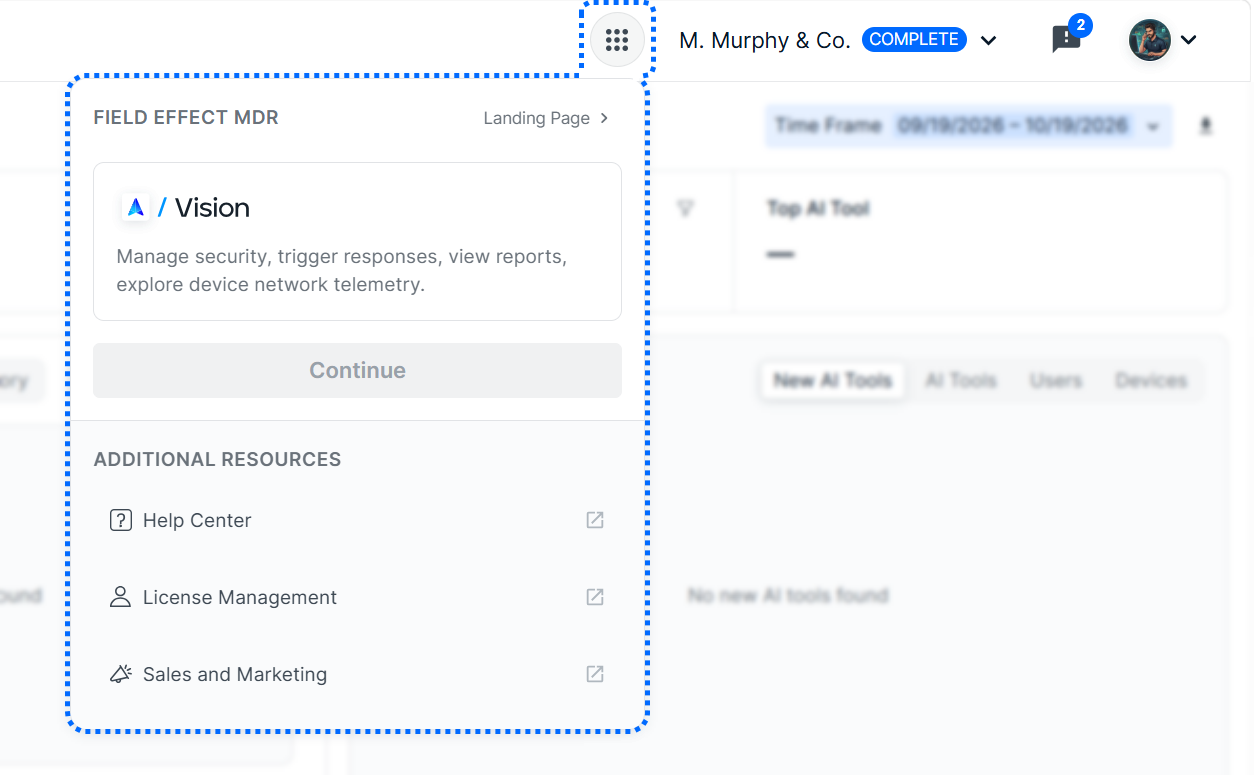
When logged into a Field Effect tool (MDR Portal, MDE SIEM, etc.), you can switch between tools using the Tool Switcher located in the upper right of the tool.
Was this article helpful?
That’s Great!
Thank you for your feedback
Sorry! We couldn't be helpful
Thank you for your feedback
Feedback sent
We appreciate your effort and will try to fix the article