Introduction
Administrators can use the License Management Portal (LMP) to update key information associated with a customer account, such as company details and contact information.
Note: The information you can edit depends on your role and permissions within the License Management Portal.
This article covers the following topics:
Before you Begin
Ensure that you:
- Have access to the License Management Portal.
- Are signed in with an account that has permission to manage customer records.
- Know which customer account you want to update.
Upate Customer Details
- Log into the LMP navigate to the service tier the customer belongs to (example Licence > MDR Complete)
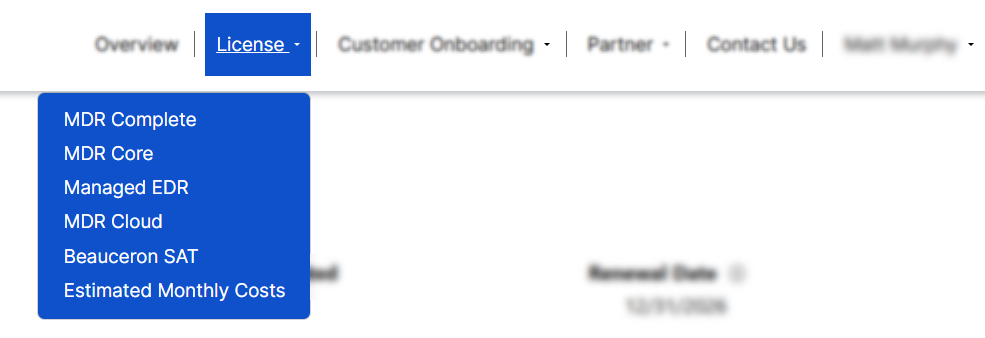
- Locate the customer in the table. Open the menu dropdown for that customer account and select Edit..

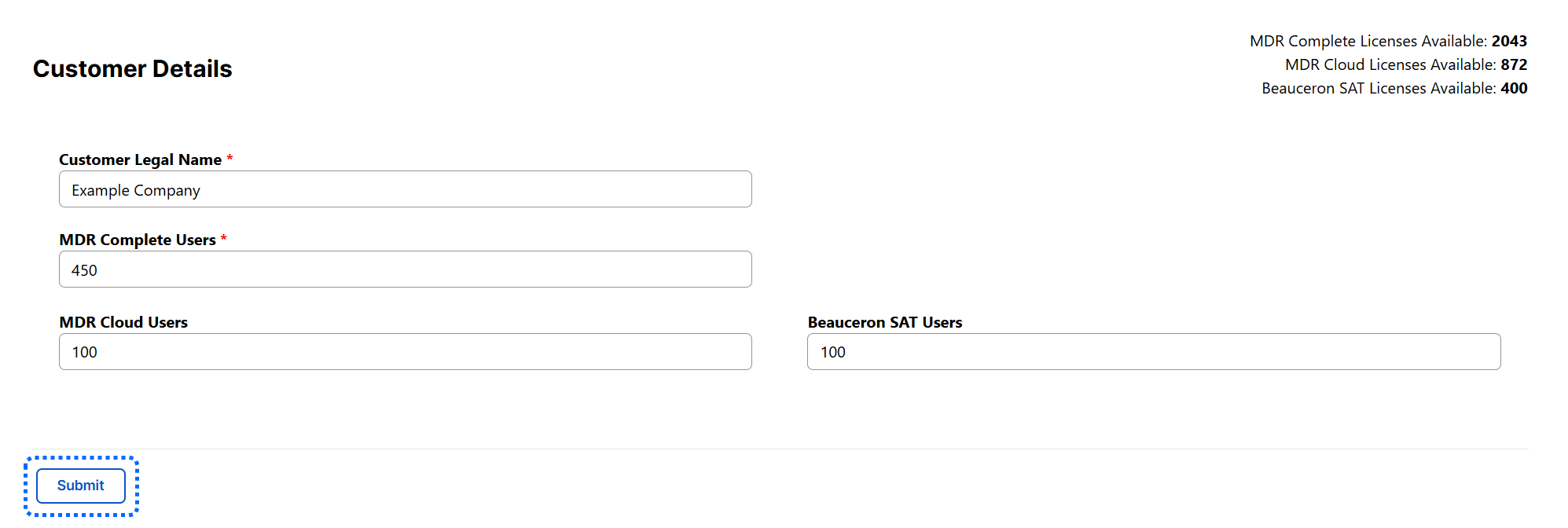
- You will be taken to the Edit page, where you can update the customer account. When finished, click Submit to confirm your updates.
What Information Can be Updated?
Depending on your permissions and the customer's configuration, you may be able to update information such as:
- Customer Legal Name
- MDR Complete Users
- MDR Cloud Users
- Beauceron SAT Users
Was this article helpful?
That’s Great!
Thank you for your feedback
Sorry! We couldn't be helpful
Thank you for your feedback
Feedback sent
We appreciate your effort and will try to fix the article