Introduction
This article describes the Field Effect MDR integration with SericeNow.
Integration Details
If your organization uses ServiceNow, this integration allows Field Effect MDR monitoring access to your ServiceNow environment, enriching its monitoring fidelity.
To learn more about ServiceNow integrations, visit their support documentation.
Requirements
To complete this integration, you will need administrator access to both your ServiceNow environment and the Field Effect MDR Portal.
Setting up the Integration
To complete this integration, you will need to perform the following procedures:
- Prepare Service Now for the Integration:
- Create an OAuth API endpoint within ServiceNow.
- You'll need to enter some of the information from this process in the MDR Portal.
- Create an OAuth API endpoint within ServiceNow.
- Complete the Integration in the MDR Portal:
- Provide the information you saved while preparing ServiceNow for the integration (Host Name, Client ID, Client Secret)
You need an admin account to set up this integration, and you can find more information in the ServiceNow documentation.
Prepare ServiceNow for the Integration
You can find more information in the ServiceNow documentation.
Create an OAuth API Endpoint
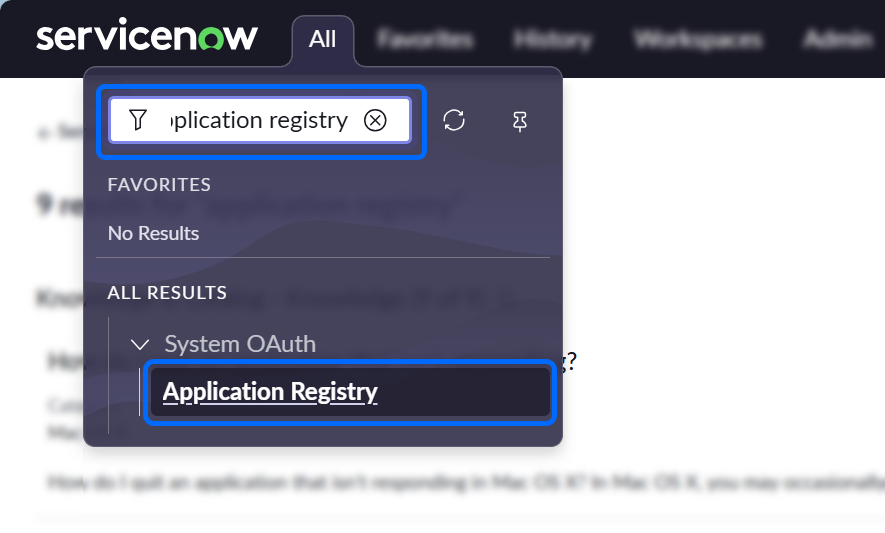
Log into your ServiceNow instance and search for "Application Registry" in the sidebar’s menu filter. Click the Application Registry result.
Click New in the upper right corner to add the new application for Field Effect MDR to the Application Registry.

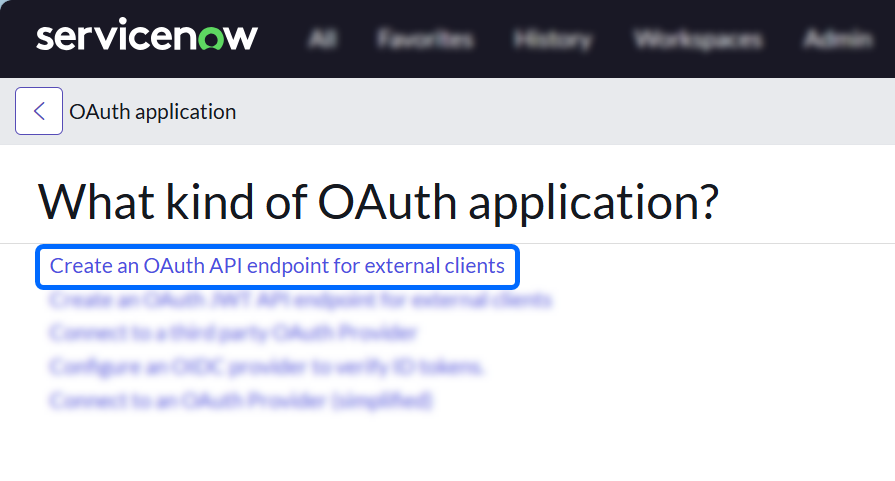
ServiceNow asks what type of application you want to make. Select Create an OAuth API endpoint for external clients.
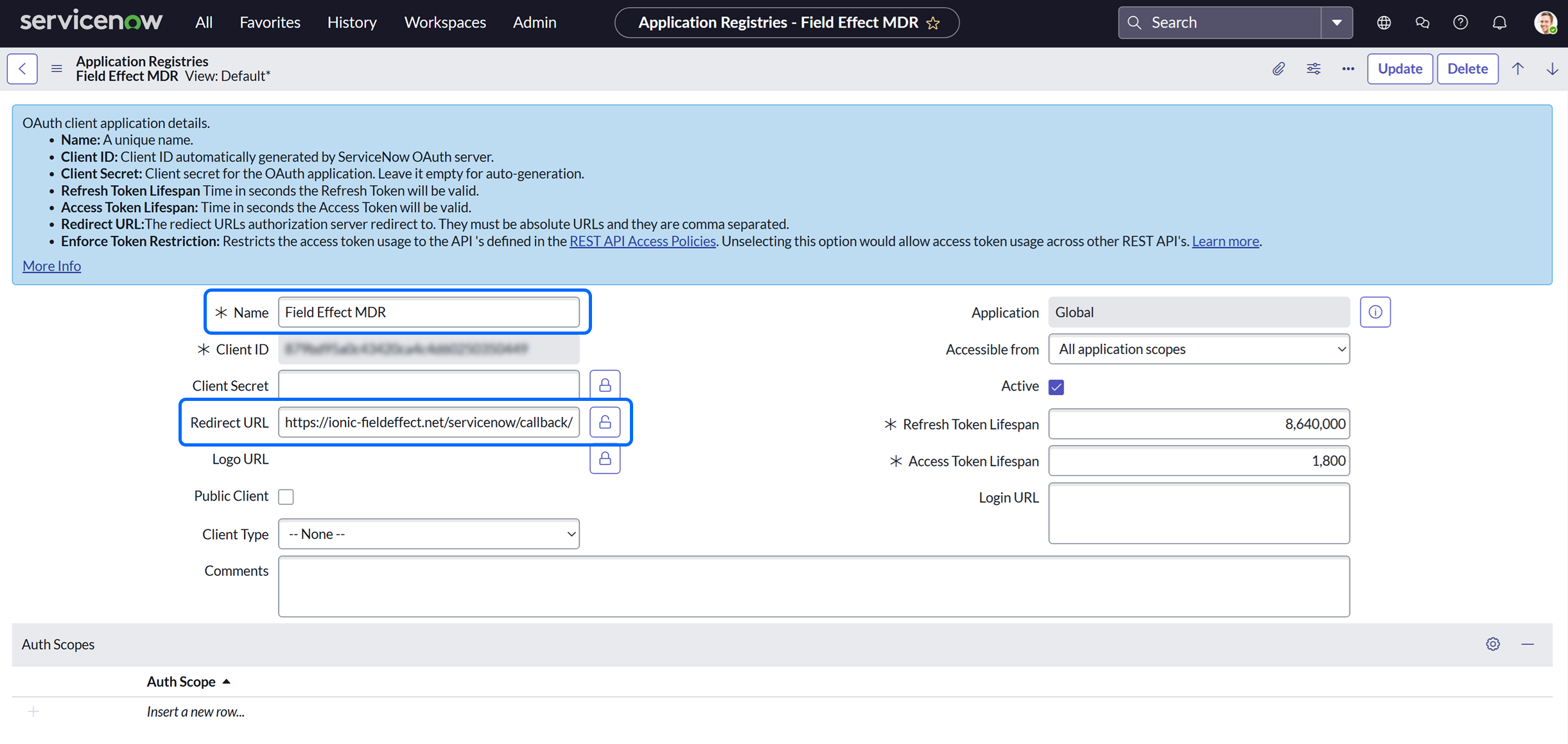
Fill out the following for the new API endpoint:
- Give your API Endpoint a Name (Field Effect MDR).
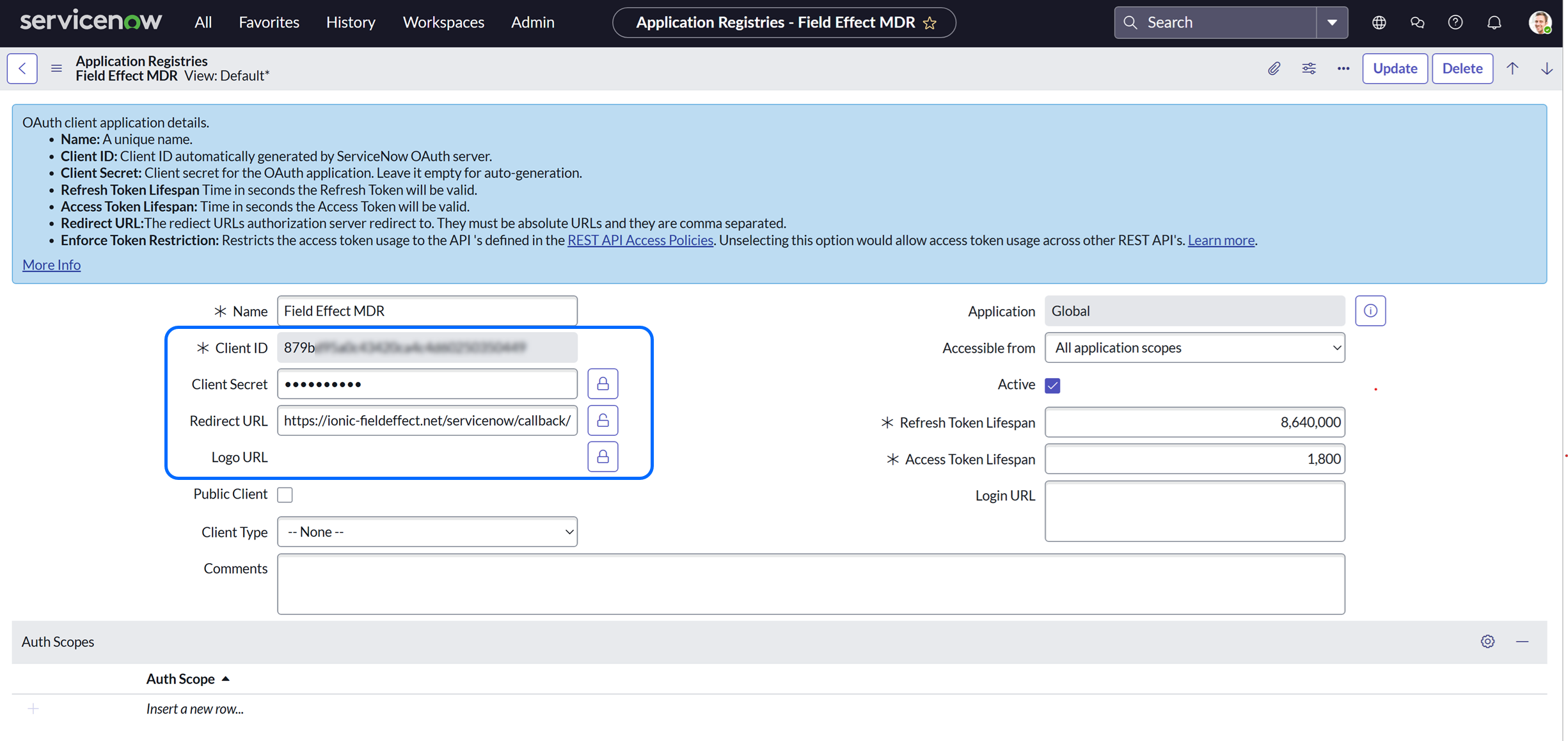
- Set the Redirect URL to the following link - https://ionic.fieldeffect.net/servicenow/callback/
When ready, click Submit.
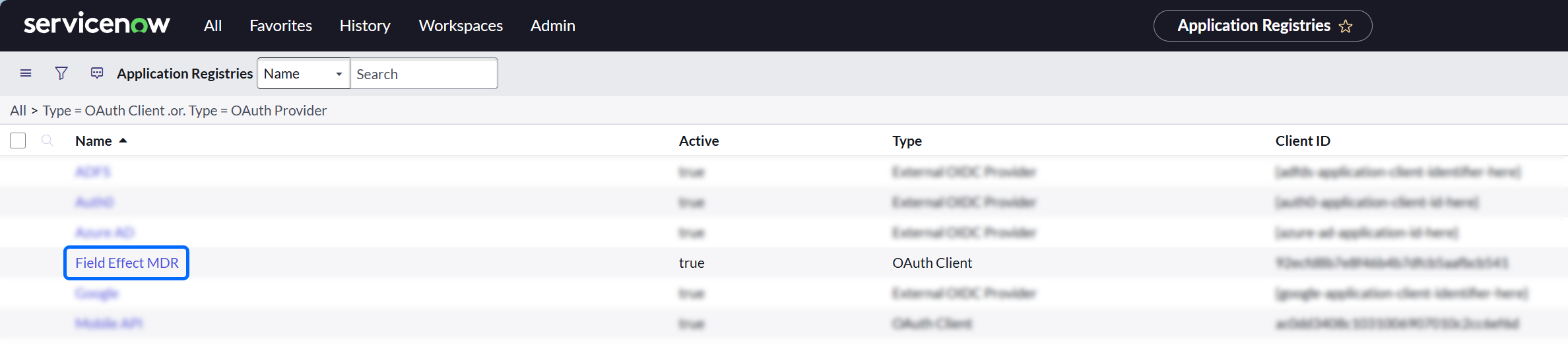
The registry now lists your new application.
Save the following pieces of information about your new application and ServiceNow instance, as you will need them in the next procedure:
- Client ID: Found on the New API endpoint form
- Client Secret: Found on the New API endpoint form.
- Host Name: If you don't know the hostname, you can find it in the address bar on this page (i.e., your-organization.service-now.com).
Complete the Integration in the MDR Portal
Note for Partners: This procedure is performed on a per-client basis. Ensure that the Organization Selector is set to the appropriate client before continuing.
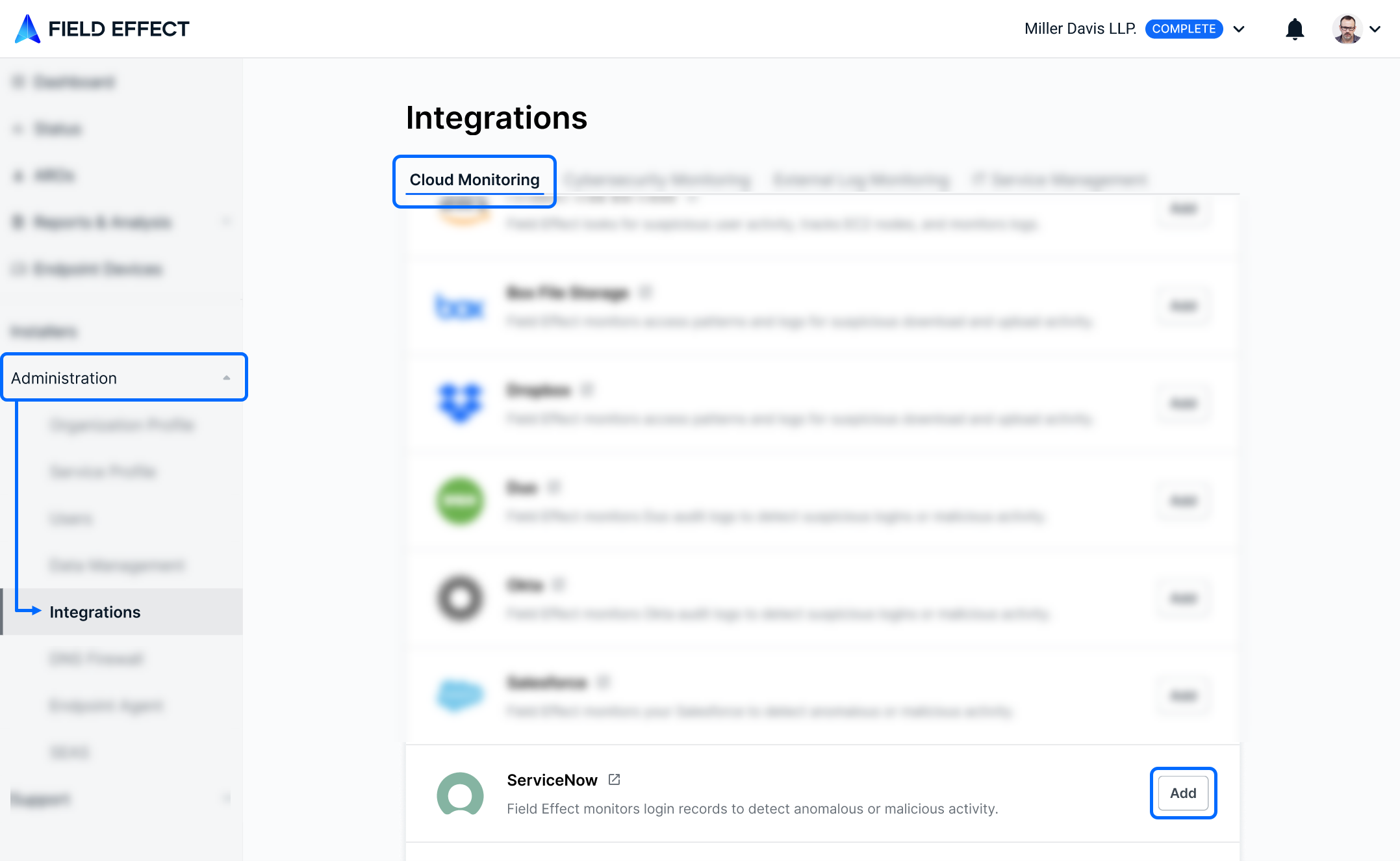
From the Integrations page's (Administration section) Cloud Monitoring tab, click Add in the Service Now card.
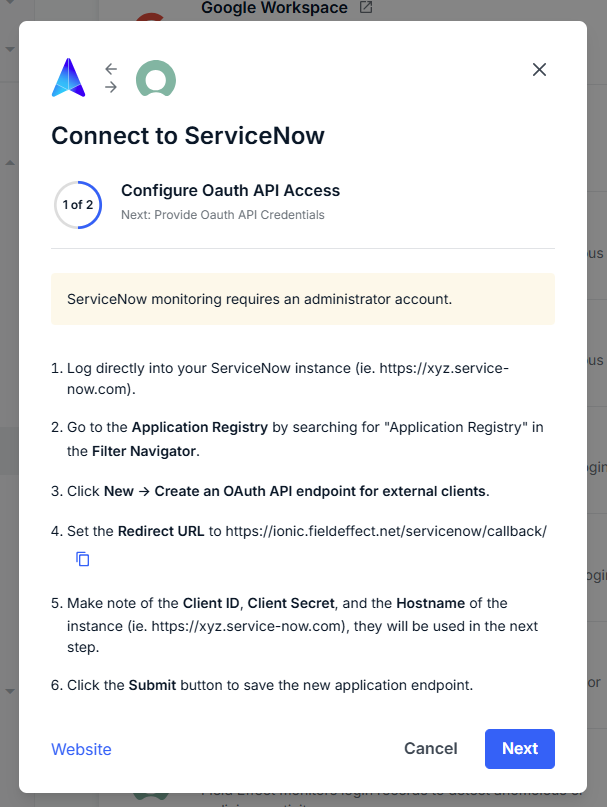
A window will open providing you with the instructions for the procedure above (Creating an API Endpoint). Complete the procedure and click Next.
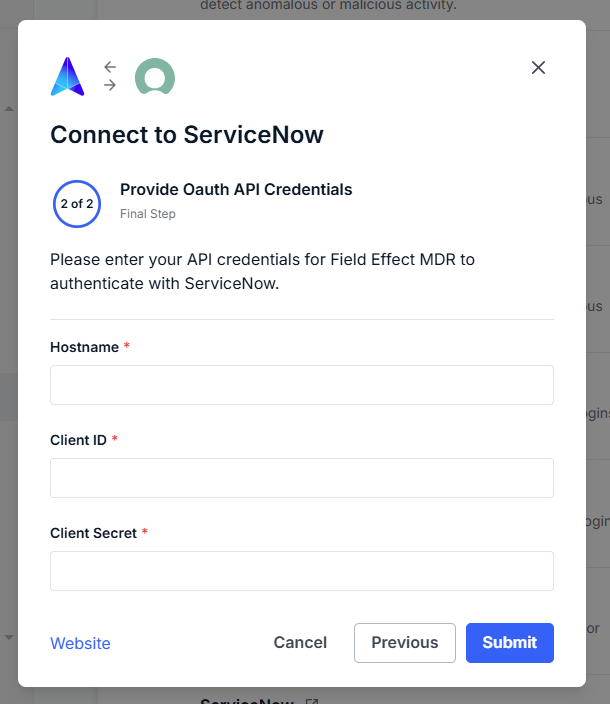
Provide the Hostname, Client ID, and Client Secret in the next window and click Submit.
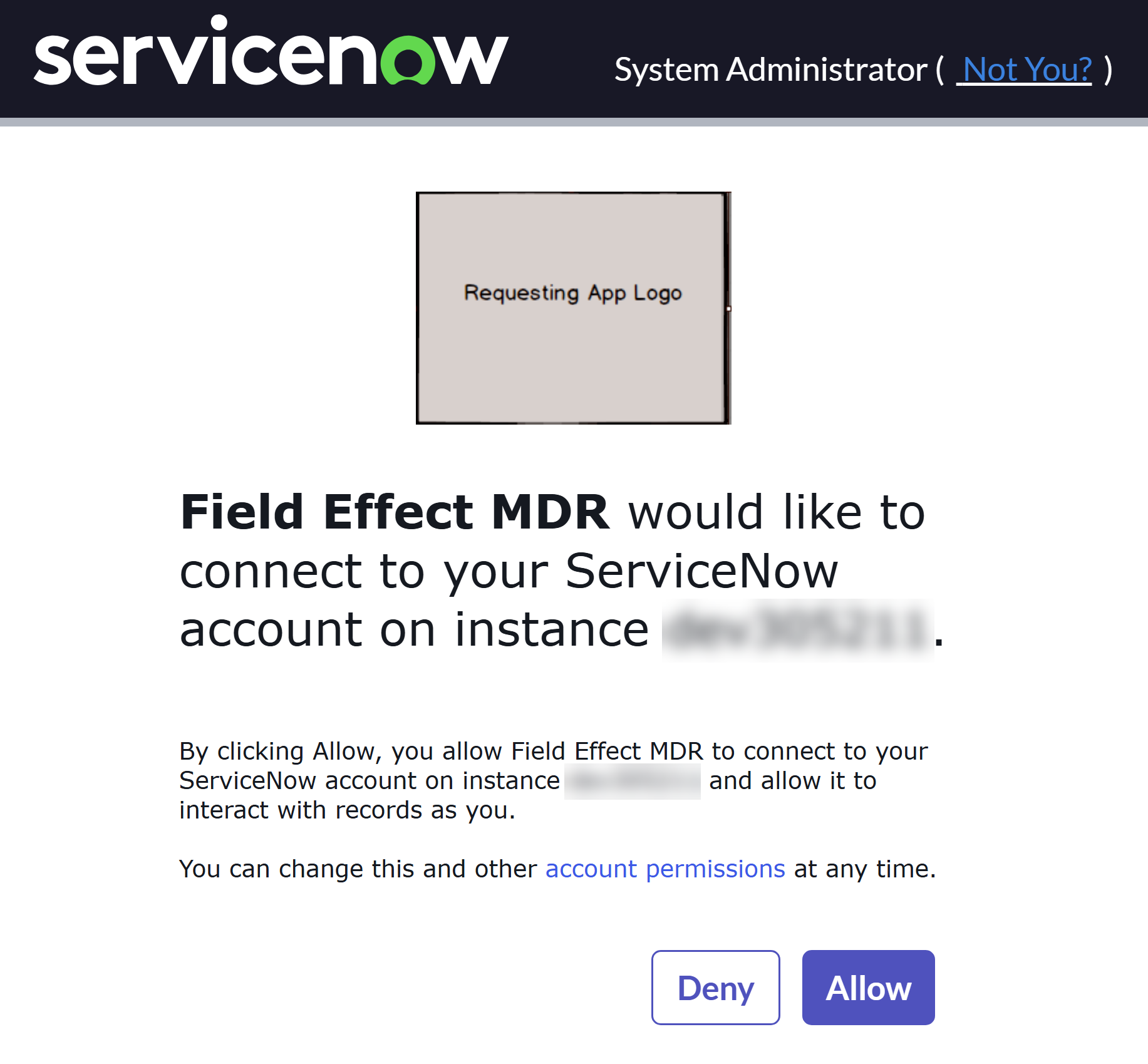
ServiceNow redirects you to a new page asking you to connect your ServiceNow account with Field Effect.
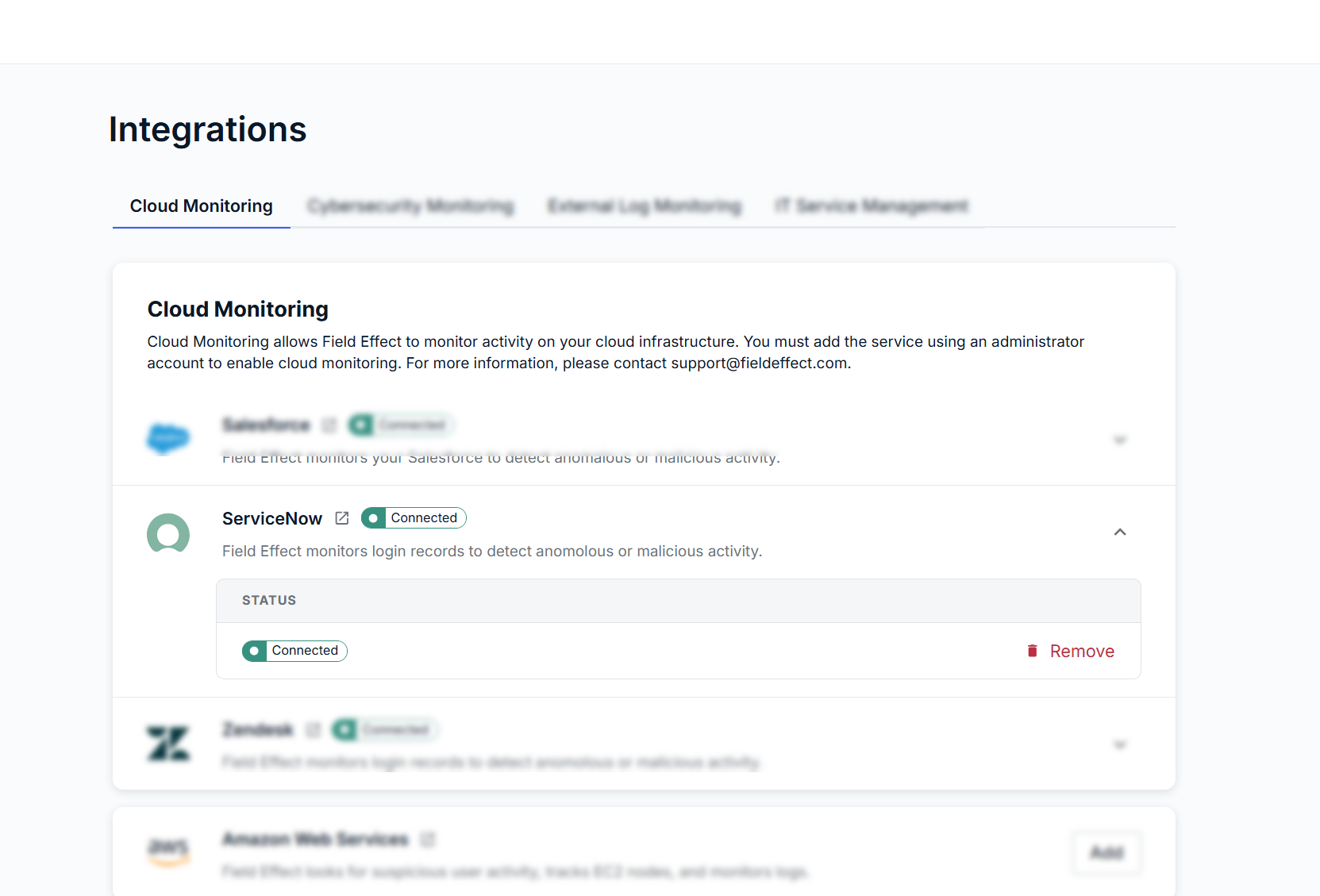
The MDR Portal returns you to the integrations page, and the integration card shows that the integration is connected.
Was this article helpful?
That’s Great!
Thank you for your feedback
Sorry! We couldn't be helpful
Thank you for your feedback
Feedback sent
We appreciate your effort and will try to fix the article