Introduction
Cloud User Investigations reports provides a detailed investigation of potentially suspicious activity associated with a cloud user account. It helps analysts, partners, and administrators understand what happened during a security event by consolidating login activity, user behavior, affected entities, remediation actions, and investigative findings into a single report.
The report accelerates the investigation of cloud account compromise incidents by highlighting unusual activity, identifying potential impact, and recommending remediation actions where necessary.
This article covers the following topics:
What information does the report provide?
The Cloud User Report analyzes user activity surrounding a security event and presents:
A high-level summary of the incident
Significant security findings and suspicious activity
Login activity and authentication details
Application and OAuth activity
Indicators of compromise (IOCs)
Remediation status and recommendations
A triage assessment of the incident's severity and containment status
Reading the Report
The Report is made of up of a Summary at the top of the report, and additional tabs. These sections help you move from a high-level understanding of the incident into detailed investigative data.

User details
The User Details section provides information collected directly from the cloud tenant, including:
User account status
MFA status
Authentication methods
Group memberships
Other account attributes maintained by the cloud provider
This information helps investigators validate account configuration and identify security gaps that may have contributed to the incident.
Triage assessment
The triage assessment summarizes the current state of the investigation and helps determine next steps.
Possible assessments include:
Assessment | Description |
|---|---|
Contained | Suspicious activity identified and appropriate remediation actions completed before impact was detected. |
Action Required | Suspicious activity or indicators of compromise detected and remediation required. |
Review Impact | Remediation actions occurred, but evidence suggests activity took place prior to containment and requires further review. |
Field Effect generates the assessment by evaluating suspicious activity and comparing it against detected remediation events.
Overview Tab
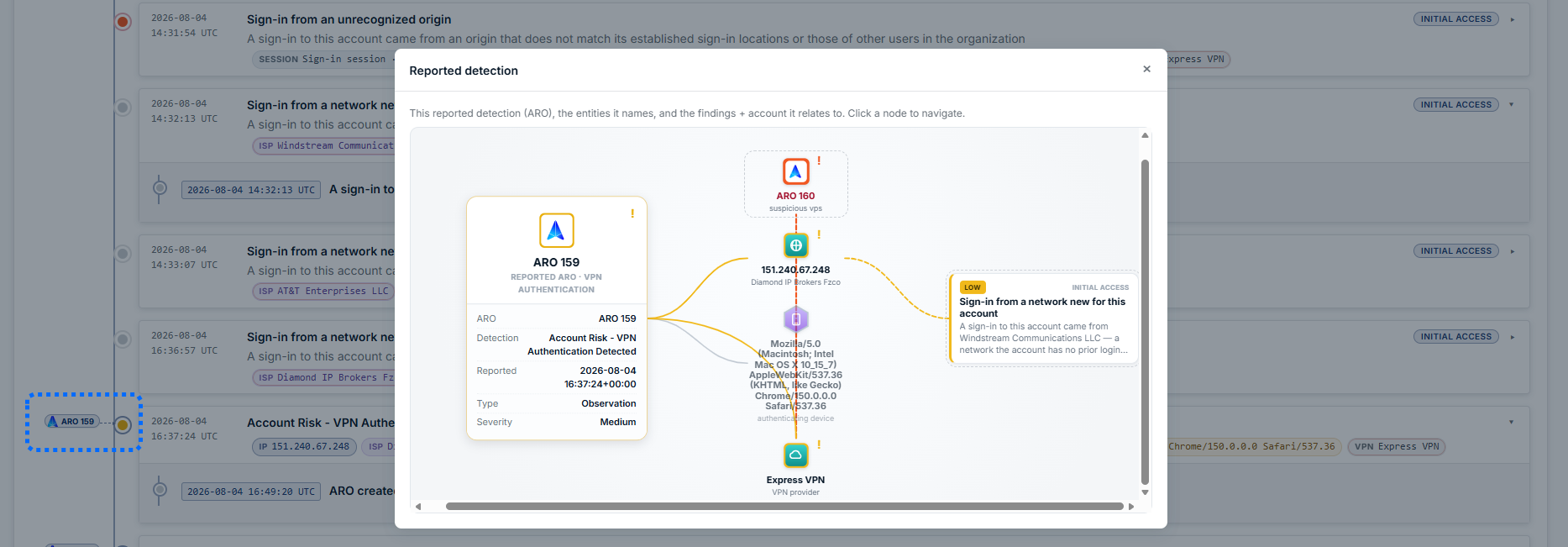
This tab includes the Key Events and Key Entities sections that highlight security-relevant activity that took place within the investigation window.
Examples include:
Sign-ins from unrecognized locations
Authentication from unusual internet service providers (ISPs)
New authenticator device registrations
Mailbox access activity
Suspicious email activity
Account remediation actions
Click an event to see additional information and context. For events related to an ARO, click the icon to see why we generate the ARO.
User Logins Tab
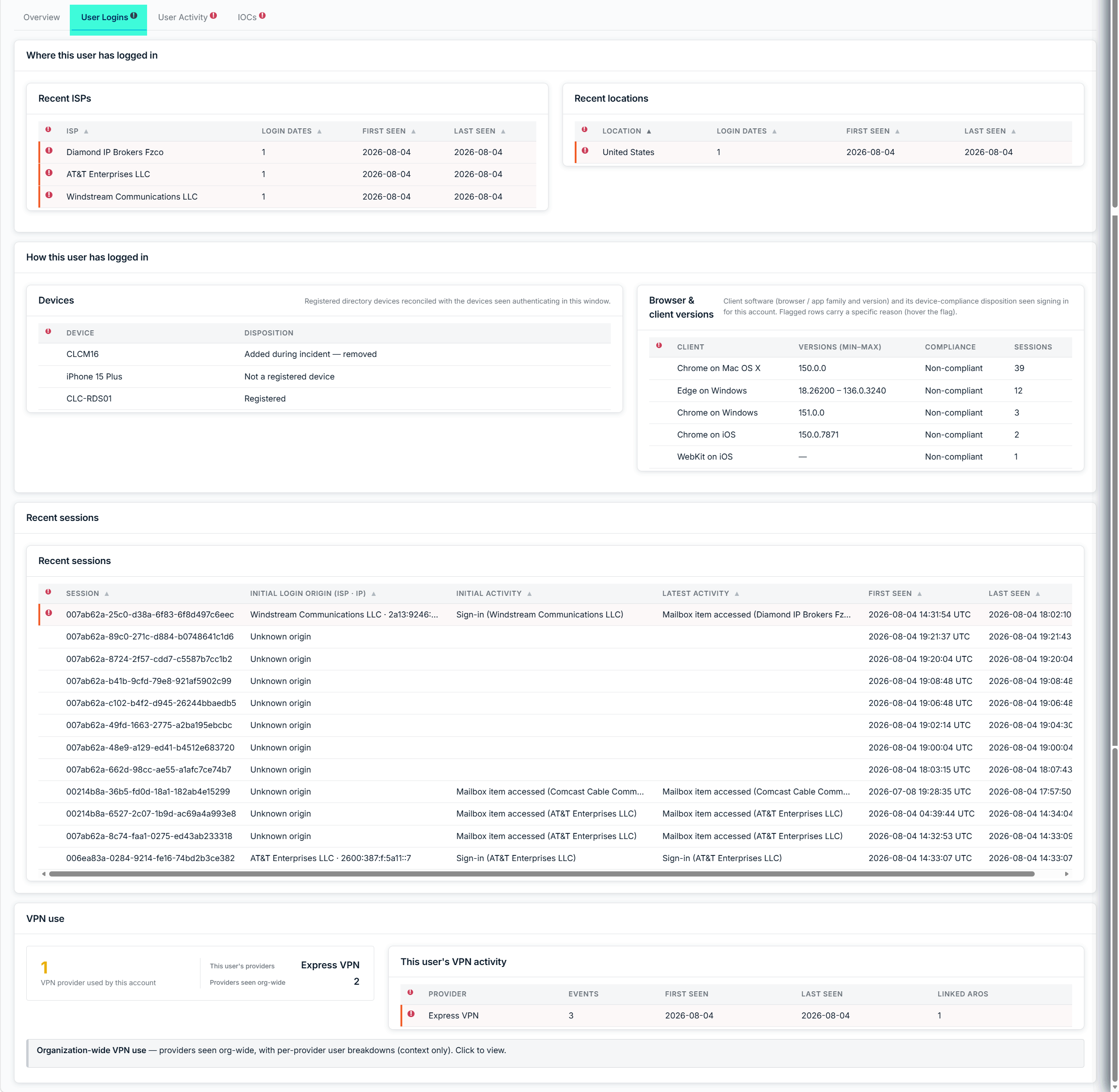
The User Logins section focuses on how and where the user authenticated.
This view can highlight:
Login locations
Internet service providers (ISPs)
Devices used for authentication
Browser or client information
Changes from the user's normal login behavior
The report compares recent activity against historical observations to identify behavior that deviates from the user's established baseline.
For example, a login originating from an ISP or location not previously associated with the user may be highlighted as suspicious.
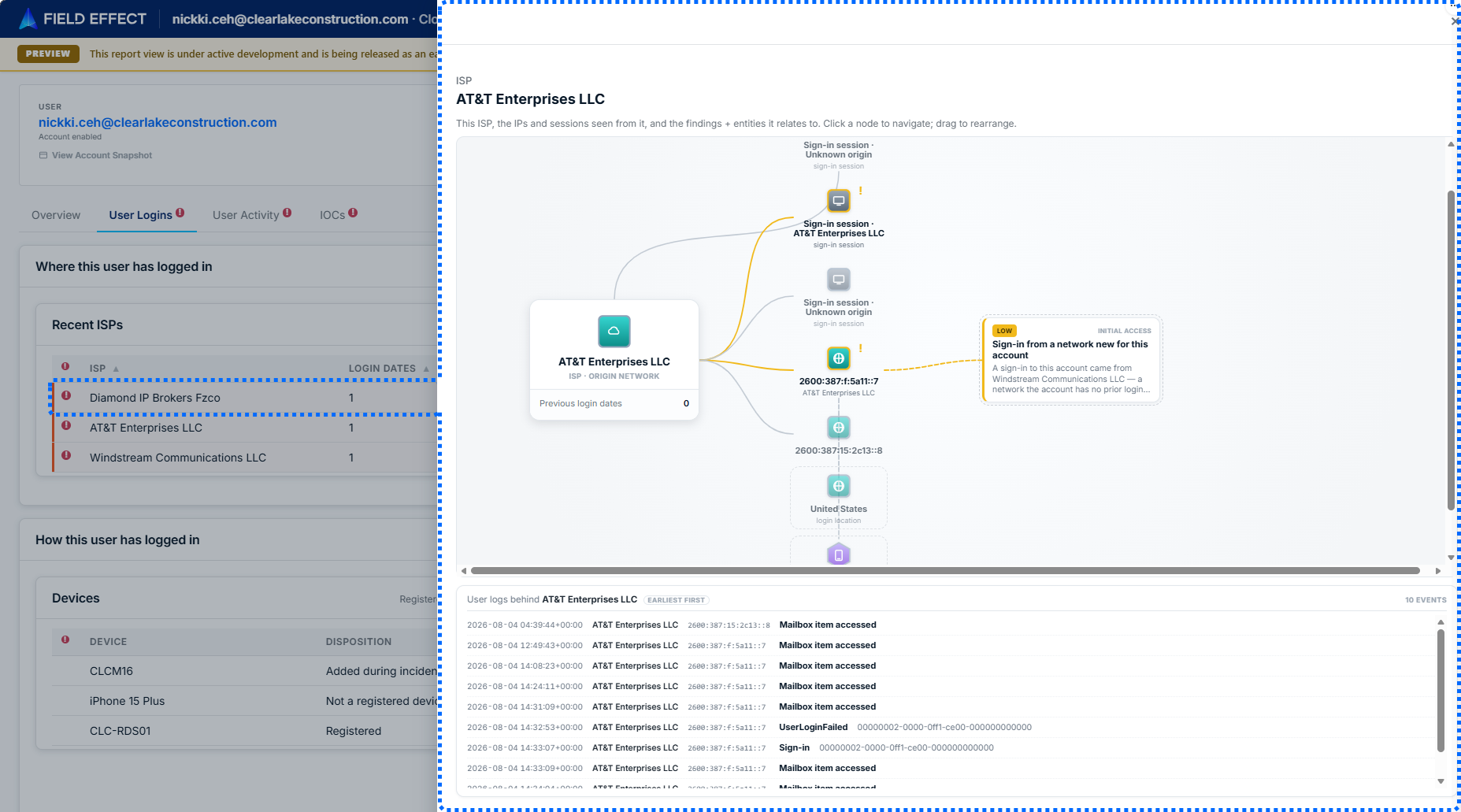
Click on an event to see more details and context for it.
User Activity Tab
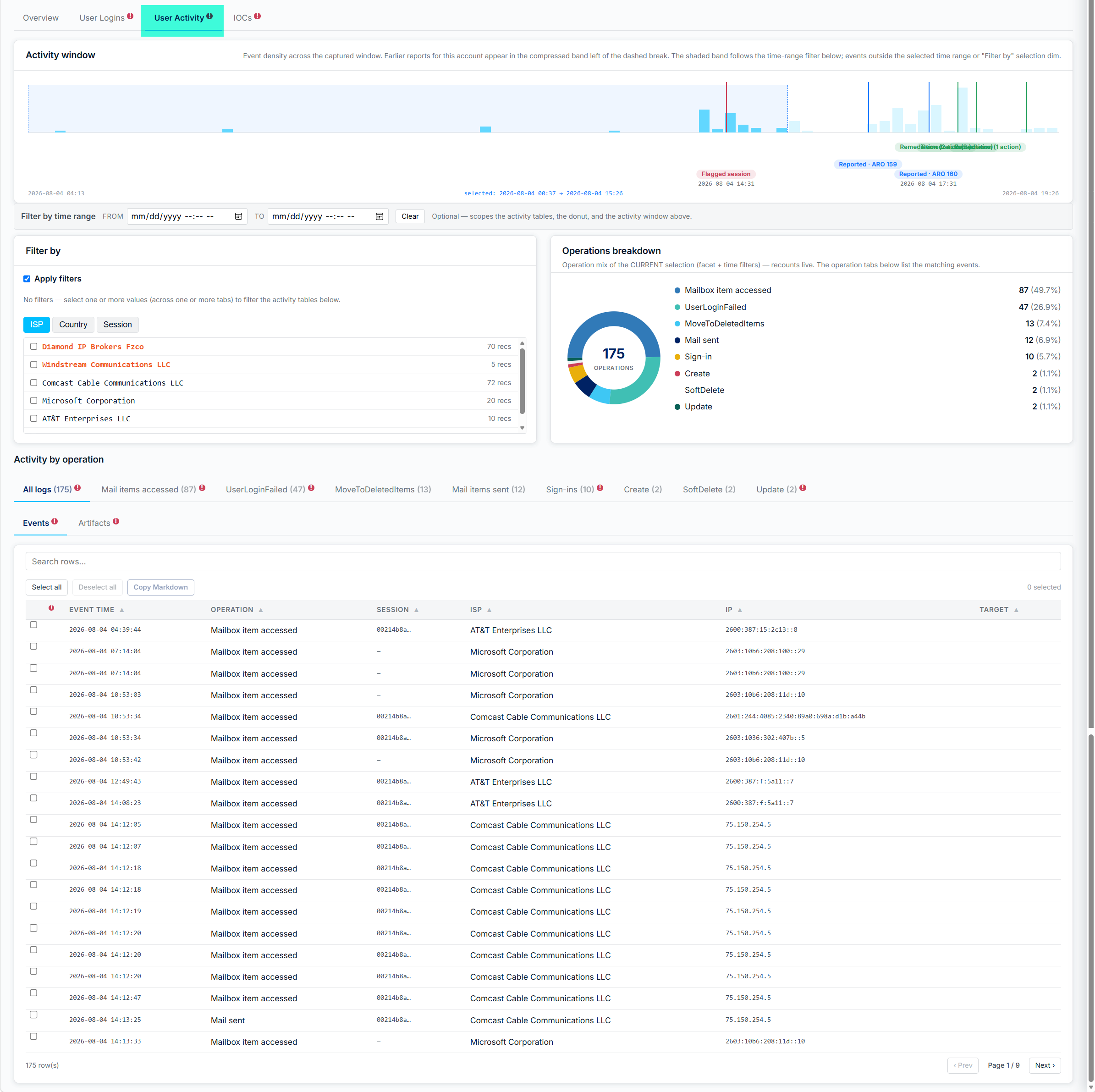
The User Activity section provides a timeline of actions performed by the user during the investigation period.
Activities may include:
Sign-ins
Mailbox access
Email operations
Inbox rule changes
Administrative changes
Other cloud activity associated with the account
The report highlights suspicious sessions and events to help investigators quickly identify activity related to the incident.
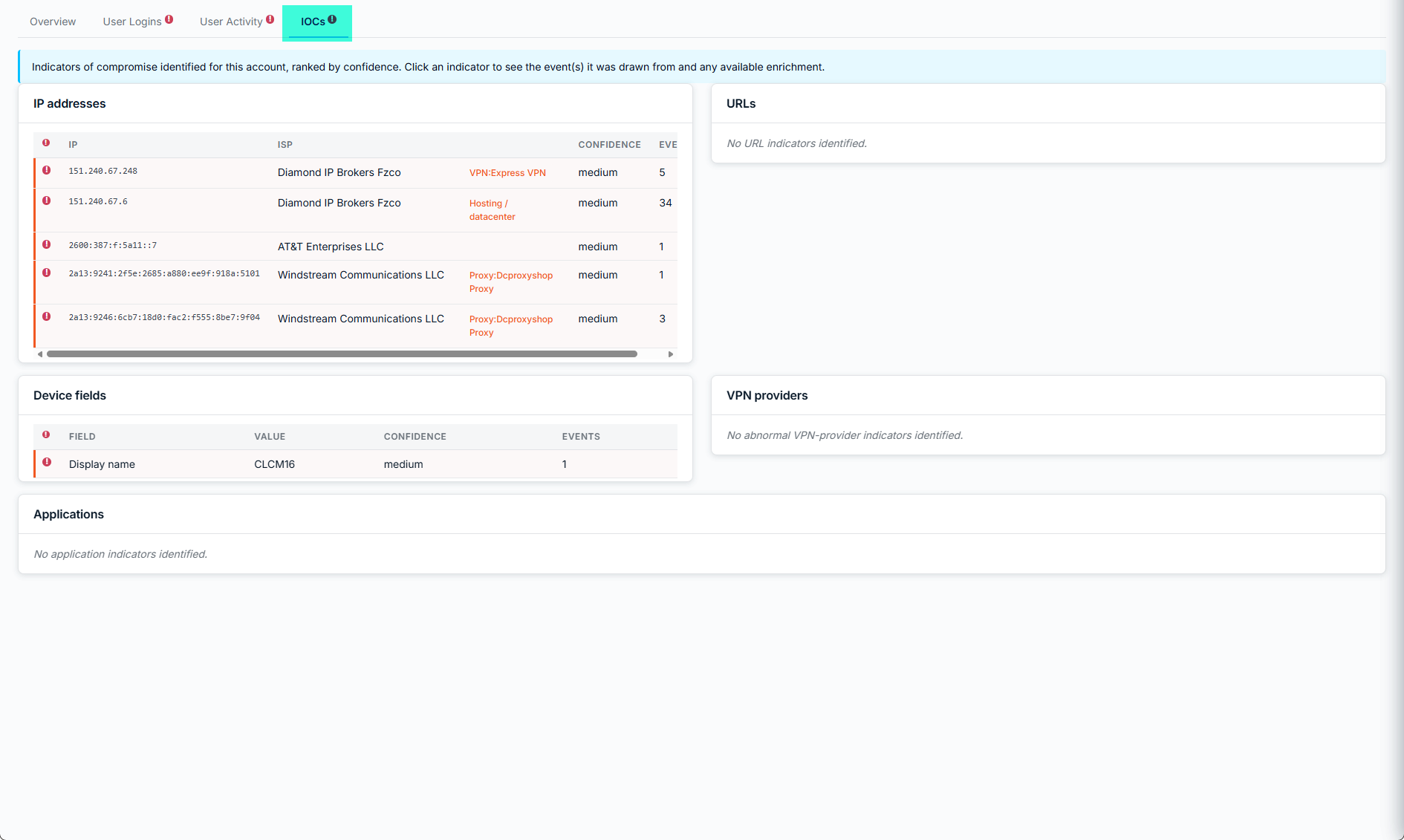
IOCs Tab
The IOC section surfaces environmental indicators associated with the investigation. Examples may include:
Suspicious IP addresses
VPN providers
Proxy infrastructure
Known malicious indicators
Other entities relevant to the investigation
These indicators provide additional context and may help identify broader threats affecting the organization.
Was this article helpful?
That’s Great!
Thank you for your feedback
Sorry! We couldn't be helpful
Thank you for your feedback
Feedback sent
We appreciate your effort and will try to fix the article