Introduction
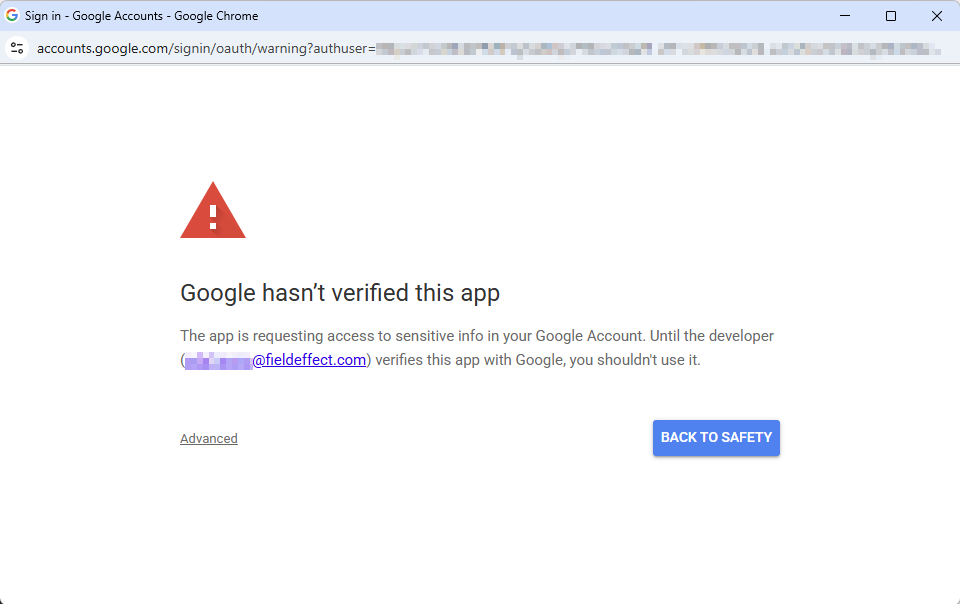
If you, or an end user, are trying to use the Google add-on for SEAS and encounter the "Google Hasn't Verified this App" error, your administrator will need to authorize the app in the Google Admin Console.
Procedure
To resolve this issue, your, or your end client's, administrator review that the Field Effect SEAS plugin is Trusted in the Google Admin console.
Perform these steps in the Google Admin Console to resolve the issue:
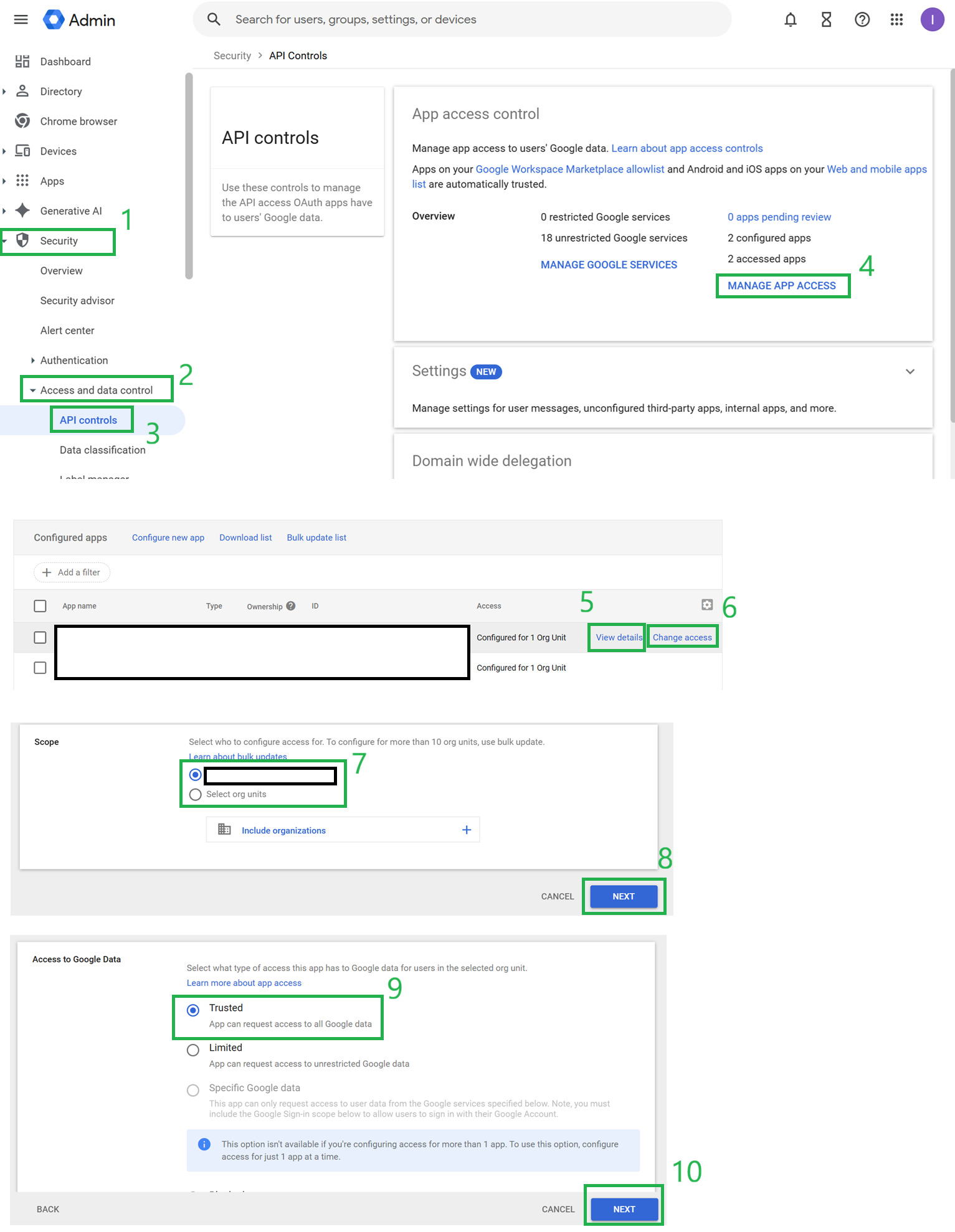
- Navigate to Security > Access and data control > API controls.
- In the App access control section, click on MANAGE APP ACCESS. A Field Effect SEAS app will be seen.
- To determine the access setting assigned to each app, hover over the app in the list and click View details.
- If the access is no longer set to Trusted for the Org Unit where the user that authorized the Google connection in Workflows resides, then Google hasn't verified this app. This error may have been received when attempting to reauthorize an existing connection, or create a new connection.
- To change the access, hover over the app in the list and select Change access.
- Select the applicable Org Unit of the user that authorized the Google connection in Workflows and click Next.
- Select Trusted and click Next.
- Click CHANGE ACCESS.
Was this article helpful?
That’s Great!
Thank you for your feedback
Sorry! We couldn't be helpful
Thank you for your feedback
Feedback sent
We appreciate your effort and will try to fix the article