Introduction
Whenever the Field Effect MDR endpoint agent discovers activity related to AI tool usage taking place, it is reported via the AI Tools Summary supplemental data table. This article describes the data included with this summary, to learn more about the Supplemental Data page and the other reports it offers, see The Supplemental Data Page - Overview.
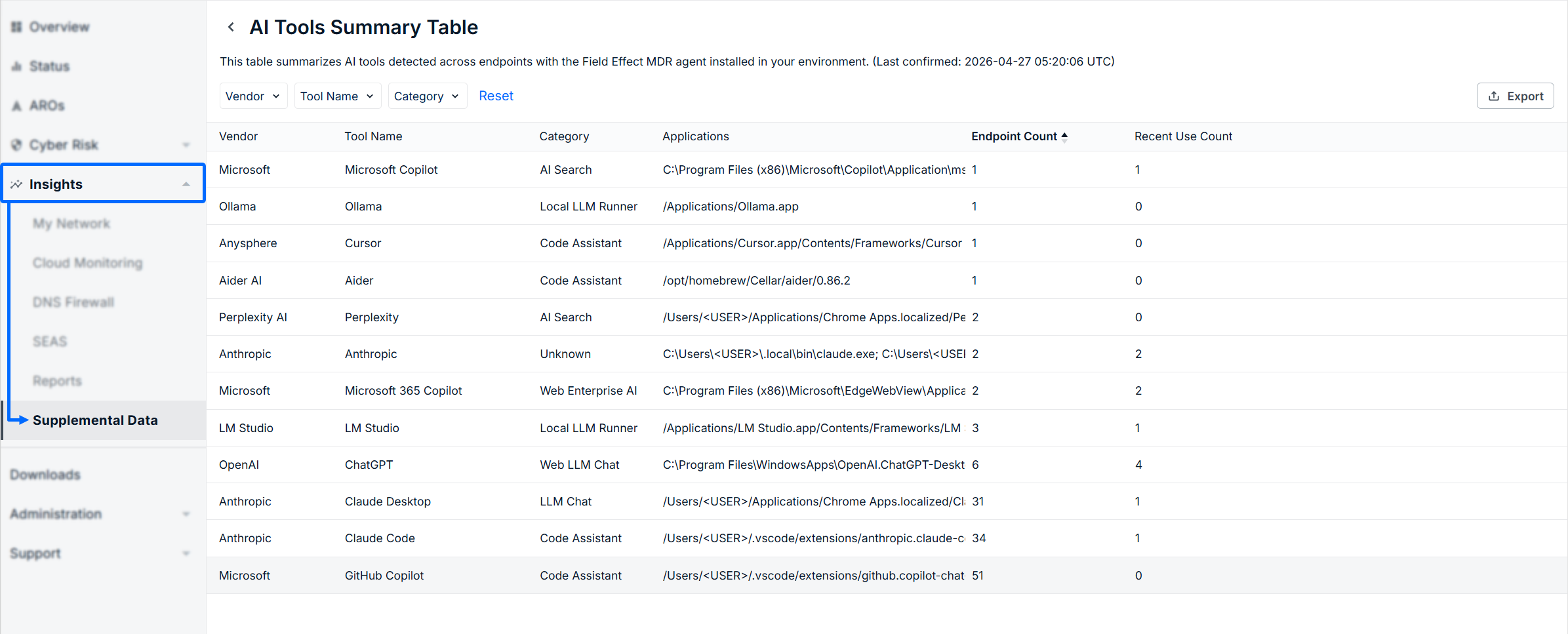
The following columns are included in this summary:
- Vendor: The name of the organization that created or distributes the AI tool.
- Tool Name: The name of the AI tool that was observed in use.
- Category: The type of AI tool being used. Examples include Code Assistant, AI Search, LLM Chat, and more.
- Application: the application's location on the endpoint device.
- Endpoint Count: the number of endpoints observed using this AI tool.
- Recent Use Count: the number of endpoints to use this ai tool in the last 24 hours.
Filtering the Table
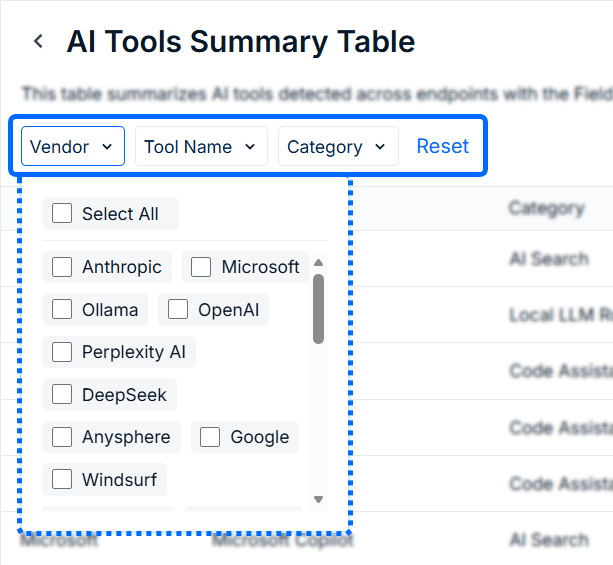
Use filters along the top of the page to narrow your search, you can filter on the Vendor, Tool Name, and Category columns. Any checked items activate the filter and automatically update the results.
Drilling into a Row
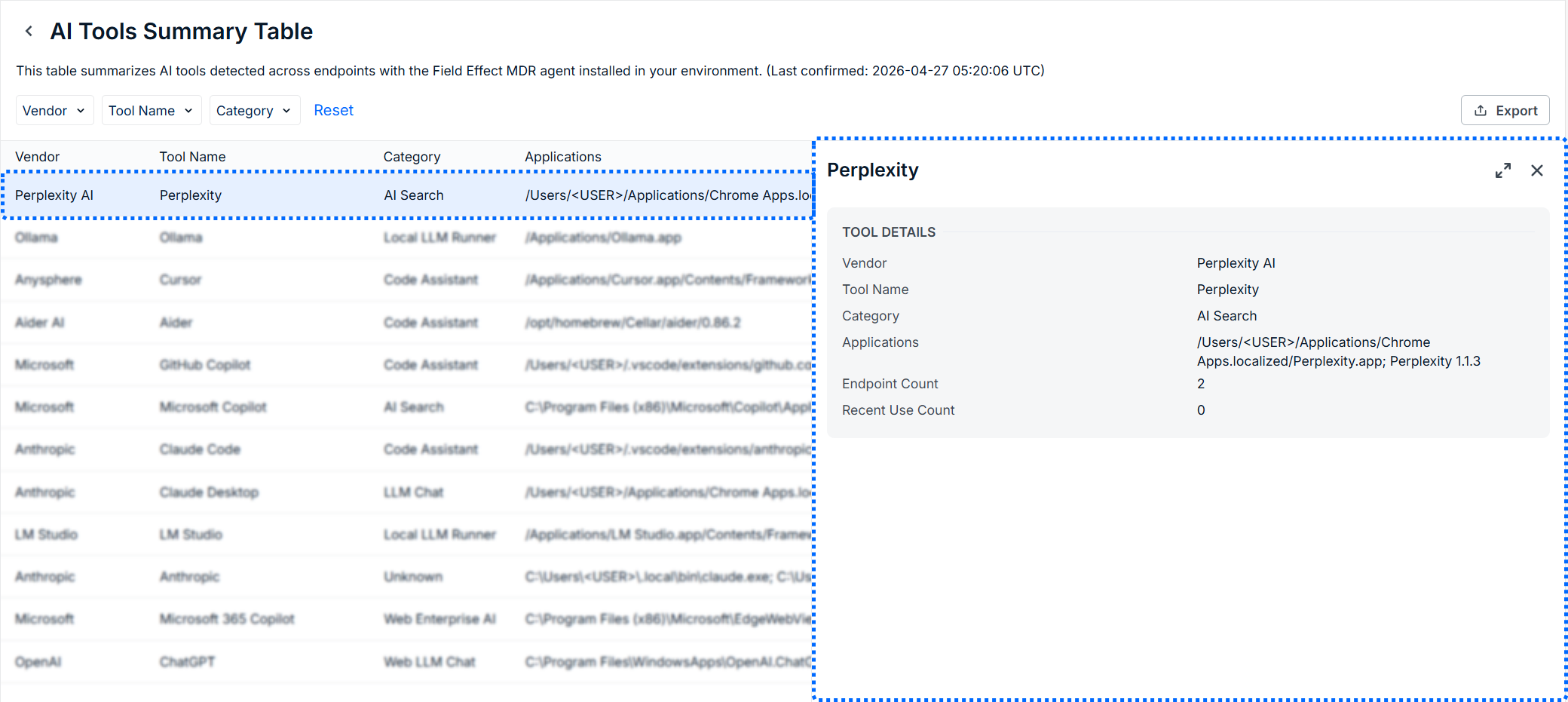
Click on a row in the summary to see a details pane on the right side of the screen.
Exporting the Data
If you would like to export this data as a .csv file, click the Export button to the upper right of the page.

Was this article helpful?
That’s Great!
Thank you for your feedback
Sorry! We couldn't be helpful
Thank you for your feedback
Feedback sent
We appreciate your effort and will try to fix the article