Introduction
The Field Effect endpoint agent installer files are stored directly on your sensor, be it physical or virtual.
They’re still available through the MDR Portal’s Downloads page, but these sensor-hosted endpoint agents allow access to them without logging into the MDR Portal - and they also don’t have the license file associated to them.
This is particularly useful if using an RMM or MDM tool to deploy endpoint agents. They are updated automatically, so if you leverage these sensor-hosted locations (shown below) in your deployment tool, the installers are automatically updated as we release new versions of the endpoint agent. This approach to automated deployments will result in much smoother upgrades, as it removes the need to replace out of date endpoint installers in your RMM or MDM tool.
Thei article covers the following topics:
Partners: ensure that the Organization Selector is set to the appropriate client, as they are unique to each client.
Leveraging Sensor-hosted Endpoint Agents
The procedure for this approach will vary from organization to organization, and from deployment tool to deployment tool.
This section provides the paths to each agent installer on the sensor, which you can add to your deployment tool.
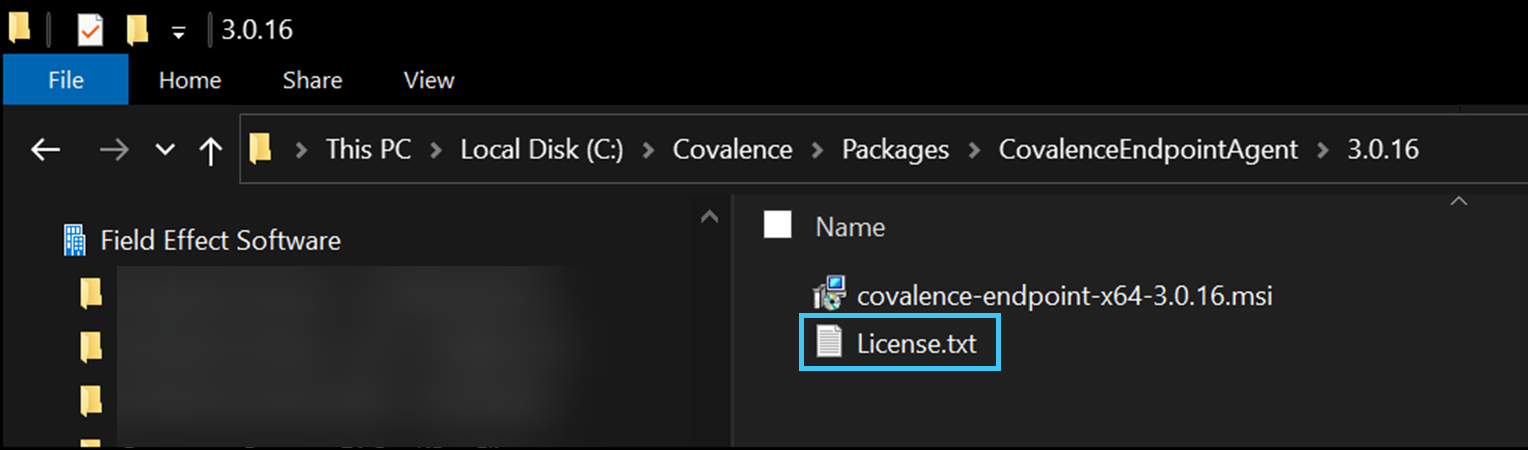
When leveraging this deployment approach, you will initially need to provide your license.txt file when setting up automated installations in your deployment tool. You can access your license.txt file by downloading an installer from The Downloads page. The license.txt file will be included with the download package:
Sensor-hosted installer locations
The following sections explain how you can retrieve the sensor-hosted installer, depending on sensor type.
The installers can be downloaded from the following location on your physical sensor. Ensure you replace <sensor-ip> with the actual IP of your sensor.
https://<sensor-ip>/downloads/installers/
A local example:
https://192.168.0.10/downloads/installers/
Here is a list of the available installers located on your sensor:
https://<sensor-ip>/downloads/installers/covalence-endpoint-x64.msi
https://<sensor-ip>/downloads/installers/covalence-endpoint-arm64.msi
https://<sensor-ip>/downloads/installers/covalence-endpoint-arm64.deb
https://<sensor-ip>/downloads/installers/covalence-endpoint-amd64.deb
https://<sensor-ip>/downloads/installers/covalence-endpoint-i386.deb
https://<sensor-ip>/downloads/installers/covalence-endpoint-i386.msi
https://<sensor-ip>/downloads/installers/covalence-endpoint-i686.rpm
https://<sensor-ip>/downloads/installers/covalence-endpoint.pkg
If you want to learn more about the agent installers currently hosted on your sensor, you can do with the following file:
https://<sensor-ip>/downloads/installers/version.txt
Was this article helpful?
That’s Great!
Thank you for your feedback
Sorry! We couldn't be helpful
Thank you for your feedback
Feedback sent
We appreciate your effort and will try to fix the article