Introduction
A Note for Partners: this page is only accessible on a on a per-client basis. Ensure that the Organization Selector is set to the appropriate client before continuing.
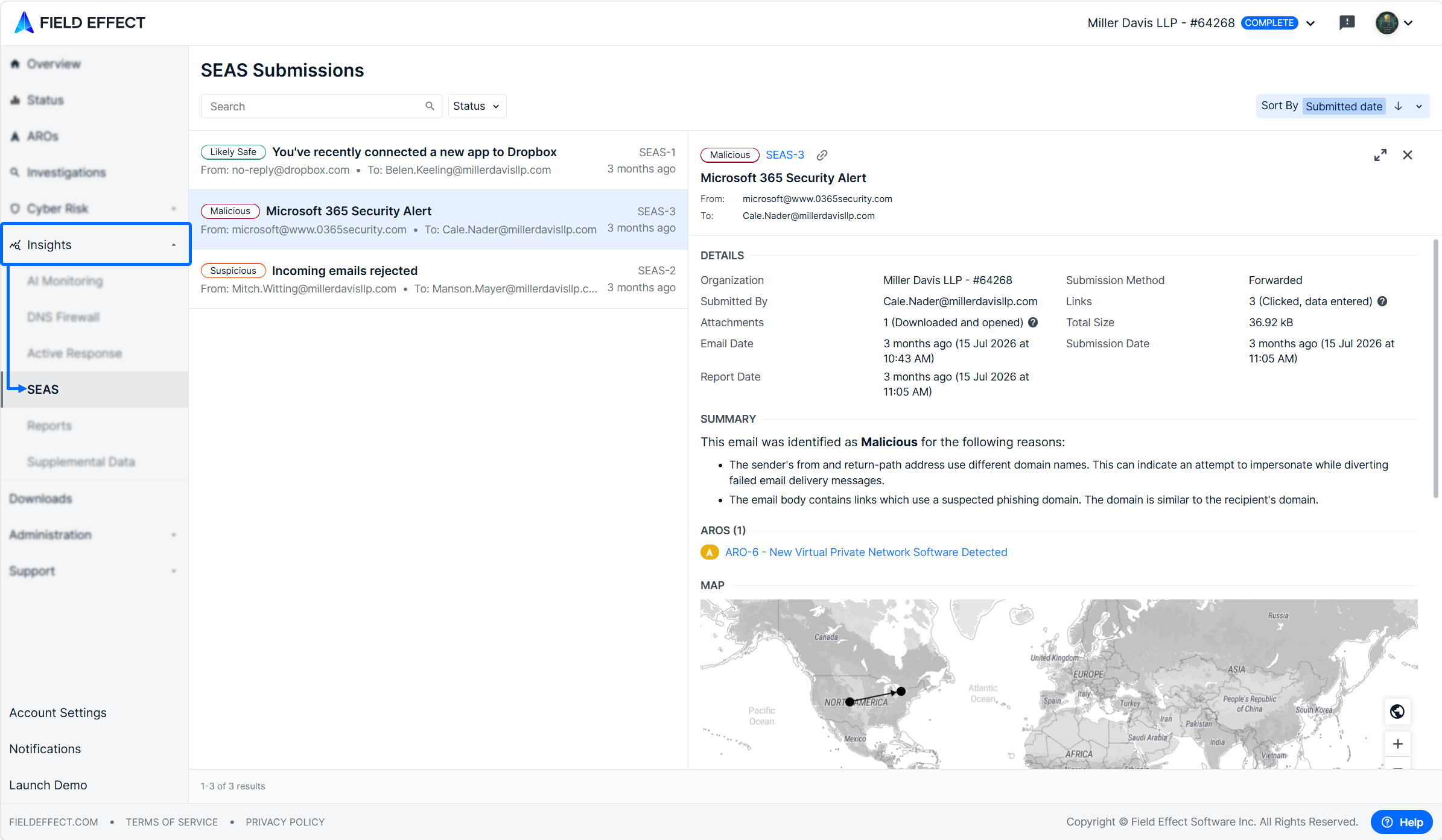
The SEAS page (Reports & Analysis section) is the core interface for the SEAS service. It looks very similar to the AROs page but instead lists all suspicious email submissions. The page works like a traditional email client: the left panel lists email submissions, and the central panel displays information about a selected submission.
From the SEAS page you can view:
- Details about the email (Sender, date, report date, etc.).
- A summary explaining why SEAS deemed the submission Likely Safe, Suspicious, or Malicious.
- Any ARO that may be related to, or the result of, the submitted email.
- Geographic details about the submitted email’s origin and destination.
- Details about the sender (email, display name, IP address, mail service, etc.).
Email Status
Once SEAS analyzes an email, it assigns one of the following statuses:
- Pending: You've submitted the email, but our analysts have yet to review it.
- Likely Safe: After the analysis, our experts have deemed the email as likely safe.
- Suspicious: After the analysis, our experts have deemed the email as a potential security concern.
- Malicious: After the analysis, our experts have deemed the email to be a security threat.
- Inconclusive: The submission had insufficient indicators to conclusively identify the email as being safe or malicious.
- Spam: After the analysis, SEAS deemed the email to be spam.
- Phishing Simulation: After the analysis, SEAS identified the email as originating from a phishing simulation platform.

The Sections of a SEAS Report
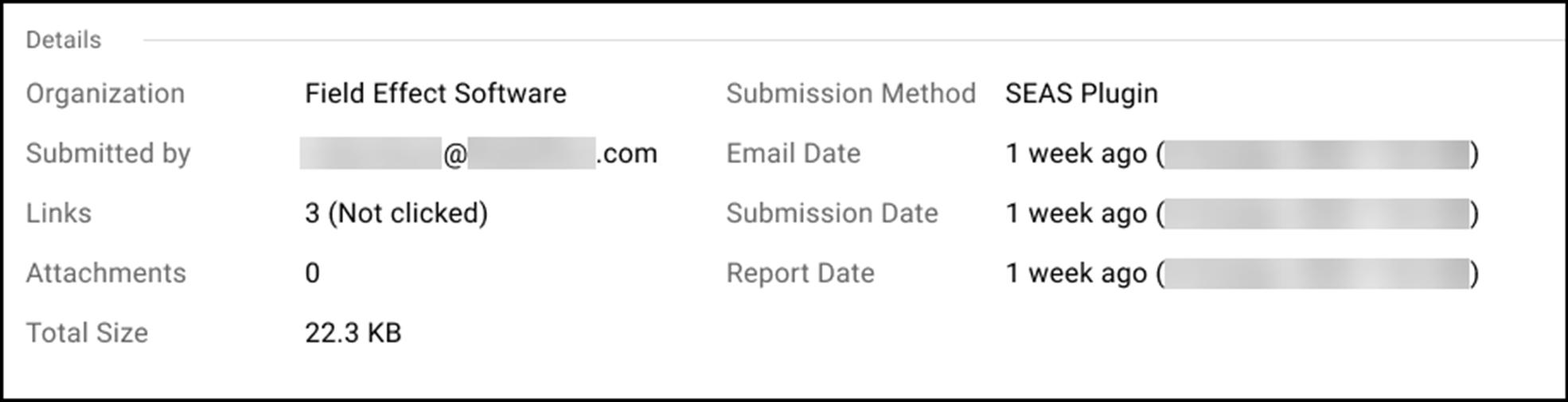
Details
This section shows high-level information and metadata about the email.
Summary
A brief analyst-provided description about the email, and it's potential for harm.

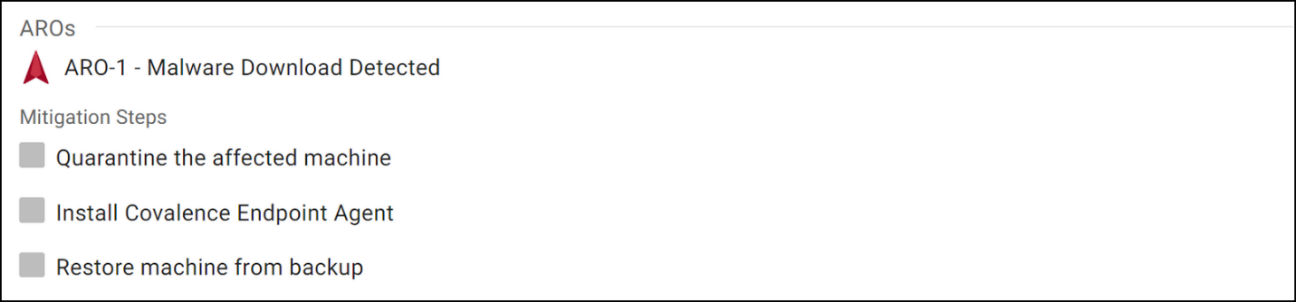
AROs
This section includes any AROs that may relate to this email.
Geography
This section marks the email’s point of origin and destination (if available).

Sender
More detailed information about the sender (If available).

Recipient
More detailed information about the recipient (if available).

Was this article helpful?
That’s Great!
Thank you for your feedback
Sorry! We couldn't be helpful
Thank you for your feedback
Feedback sent
We appreciate your effort and will try to fix the article