Introduction
The Appliance Assets page for Field Effect partners is located in the MDR Portal's Administration section, and this is where you can add, deploy, or reassign your network sensors to clients.
To learn more about managing your network sensors, see Network Sensor Management.
This article provides a quick over of the page and how to use the search and filter the page:
- Access the Appliance Assets Page
- Understand the Page Layout
- Select & Arrange Columns
- Search for Appliance Assets
- Filtering Endpoint Devices
Access the Appliance Assets Page
To access the Appliance Assets page:
- Log into the MDR Portal
- Ensure that the organization selector is set to your partner view.
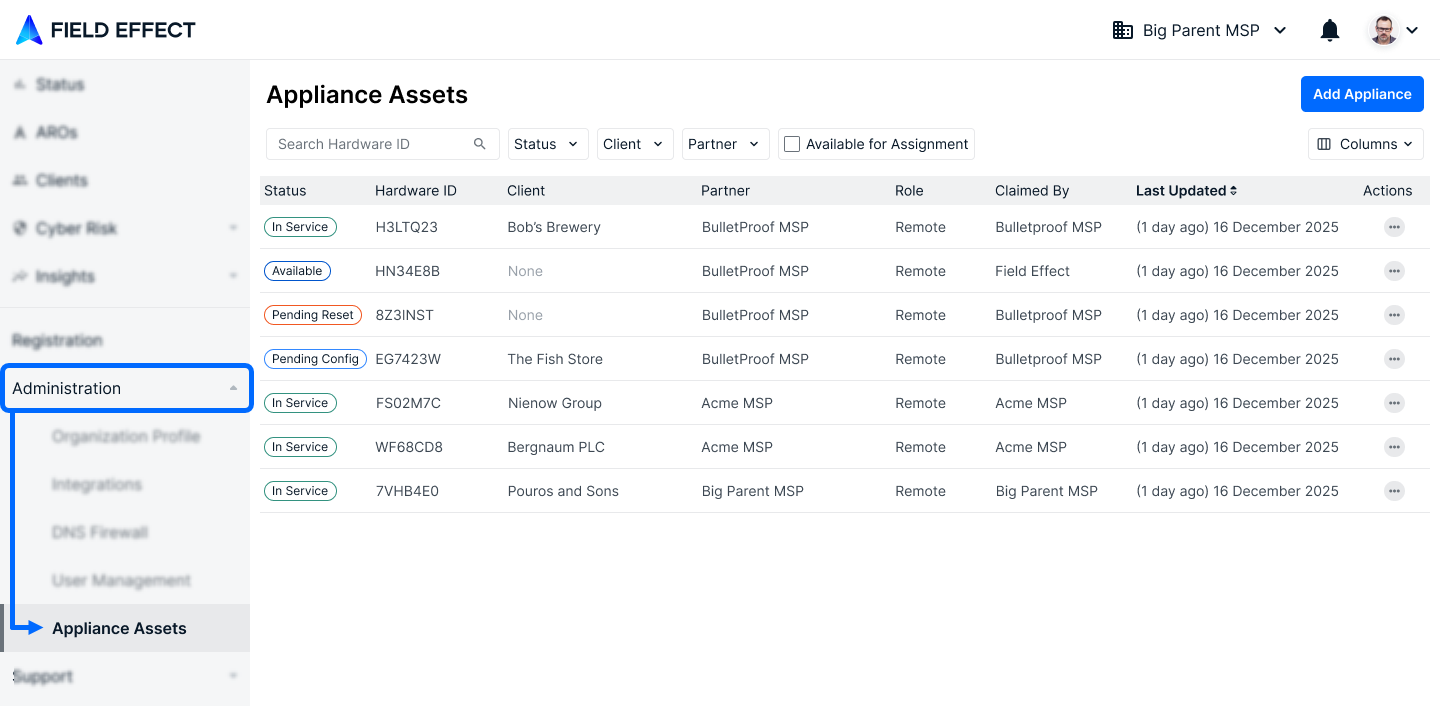
- In the sidebar, expand the Administration section and click Appliance Assets
Understand the Page Layout
This page lists out every network sensor that belongs to your partner organization. From here, you can add, deploy, or reassign your network sensors to clients as you onboard and/or offboard clients from Field Effect MDR.
To learn more about managing your network sensors, see Network Sensor Management.

Select & Arrange Columns
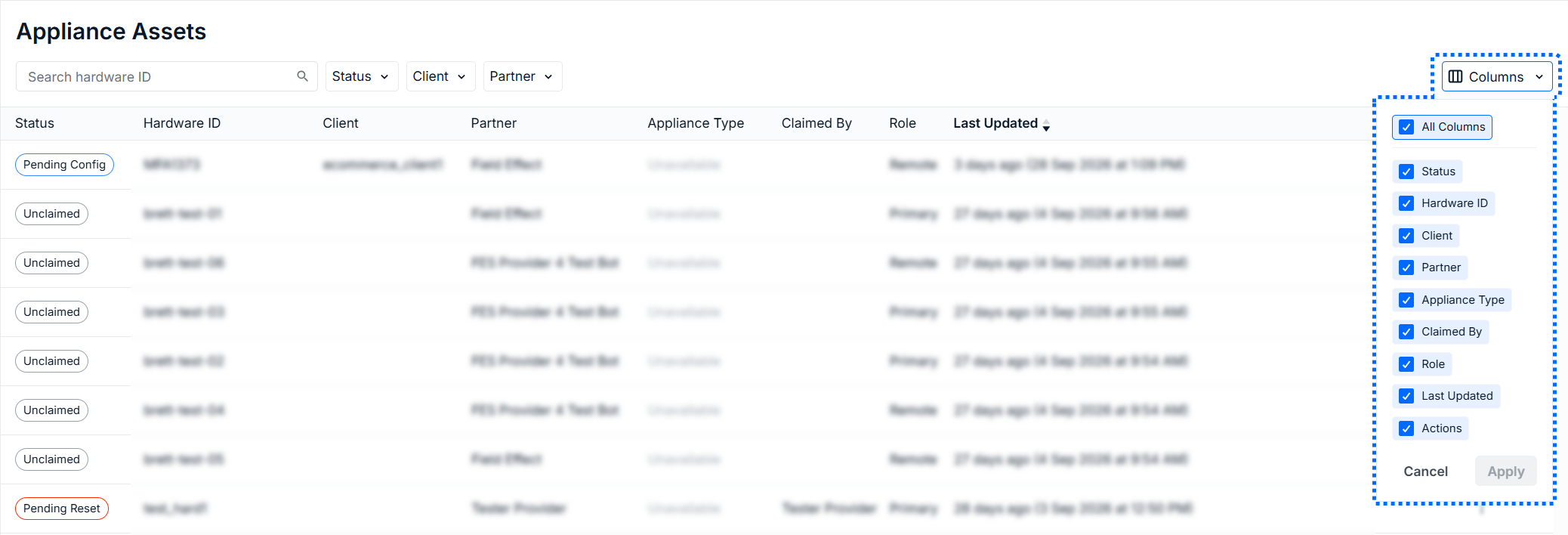
To select which columns you would like to include in the table, use the Columns dropdown in the page's upper right. After selecting the columns to include, click Apply.
After you have all of your preferred columns shown, click on the column headers to rearrange their order.
Search for Appliance Assets
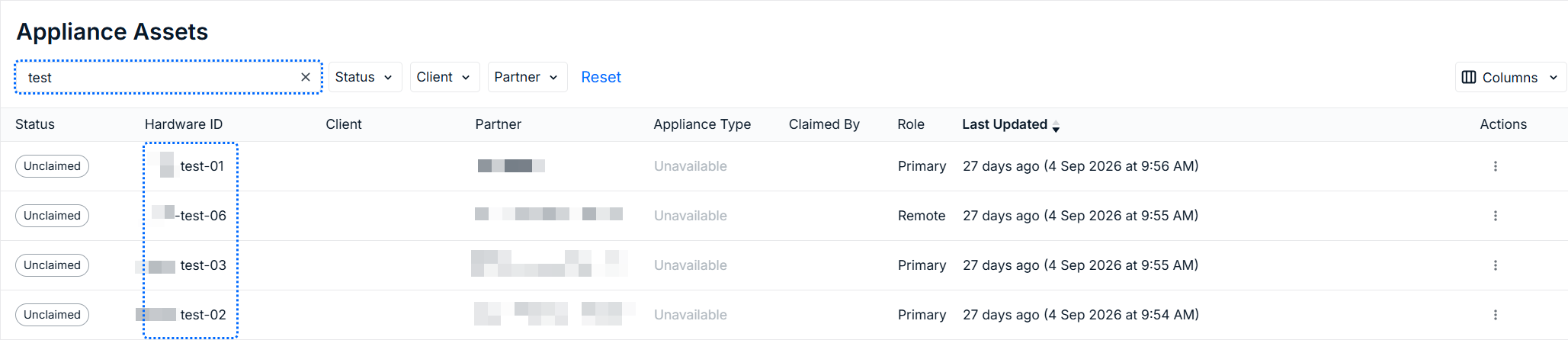
You can search this page by Hardware ID. As you add characters into the search field, the results of the table will automatically update.
Filtering Endpoint Devices
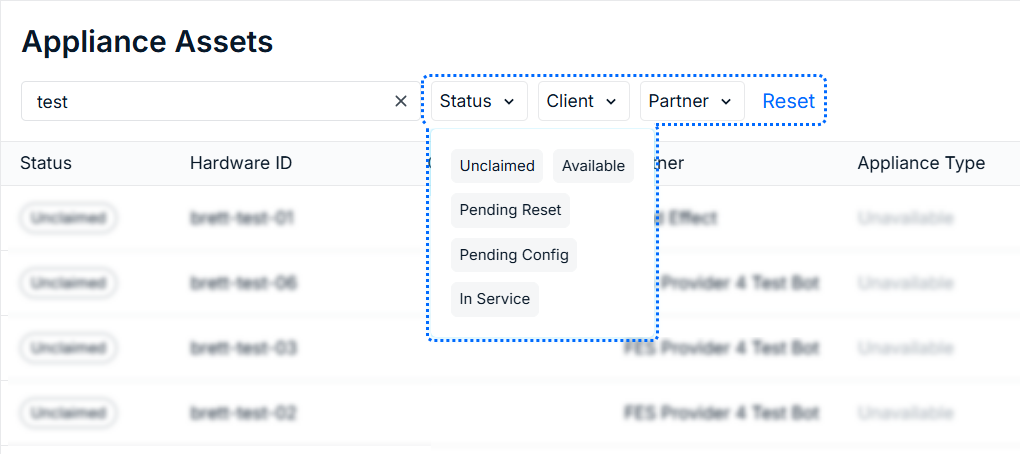
If you want to filter by a certain metric, or narrow the results of a search, several filters are available. Click on the filter you would like to use to see the available filter options. Check the criteria you would like to filter by and it will be applied to the results. Also note that you can apply multiple filters simultaneously.
Was this article helpful?
That’s Great!
Thank you for your feedback
Sorry! We couldn't be helpful
Thank you for your feedback
Feedback sent
We appreciate your effort and will try to fix the article