Introduction
Field Effect MDR's AI Detection & Response (AIDR) leverages our endpoint agent, the network sensor, and the DNS Firewall to help you understand, govern, and secure AI tool usage in your network.
This functionality is built directly into our MDR platform, and geared at addressing challenges such as:
- Shadow AI (employees using AI tools without approval)
- Unauthorized or rogue AI applications
- Over-permissioned AI integrations
- Data leakage and privacy risks
- AI governance and compliance concerns
- Prompt manipulation and other AI-specific attack vectors
This article covers the following topics:
Core AIDR Features
| Feature | Description | Examples |
|---|---|---|
AI Discovery | Uncover shadow AI that might otherwise go unnoticed. | Identify: - Which AI tools are being used - Who is using them - Where they are being used - How they connect to business systems and data sources |
AI Assessment | See where AI is introducing risk and prioritize mitigation efforts. | Gain visibility into: - AI application access to business data - Connected systems and services - Potential security and governance risks - Anomalous AI-related activity |
AI Governance | Enable AI innovation without losing control of organizational data and systems | - Block unapproved AI tools - Establish approved AI policies - Apply zero-trust principles to AI access - Monitor adoption of sanctioned AI services |
Enable AIDR Functionality in Field Effect MDR
The following sections outline how to enable our AIDR features for your Field Effect MDR deployment.
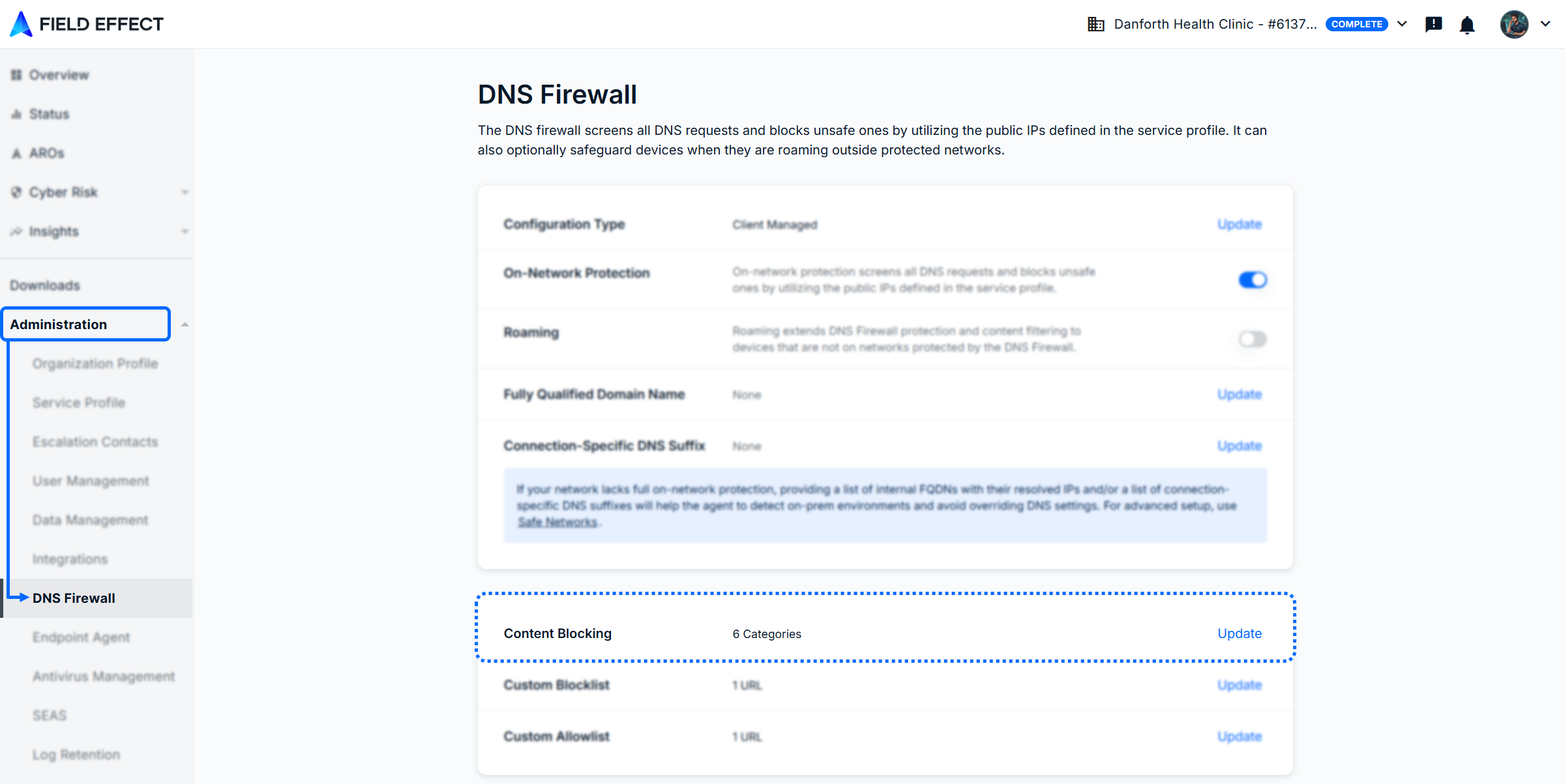
The DNS Firewall
We recommend blocking all AI sites via the DNS Firewall and allowing only those permitted under your AI governance policies.
See Control AI Tool Access Using the DNS Firewall to learn more.
Endpoint Agents
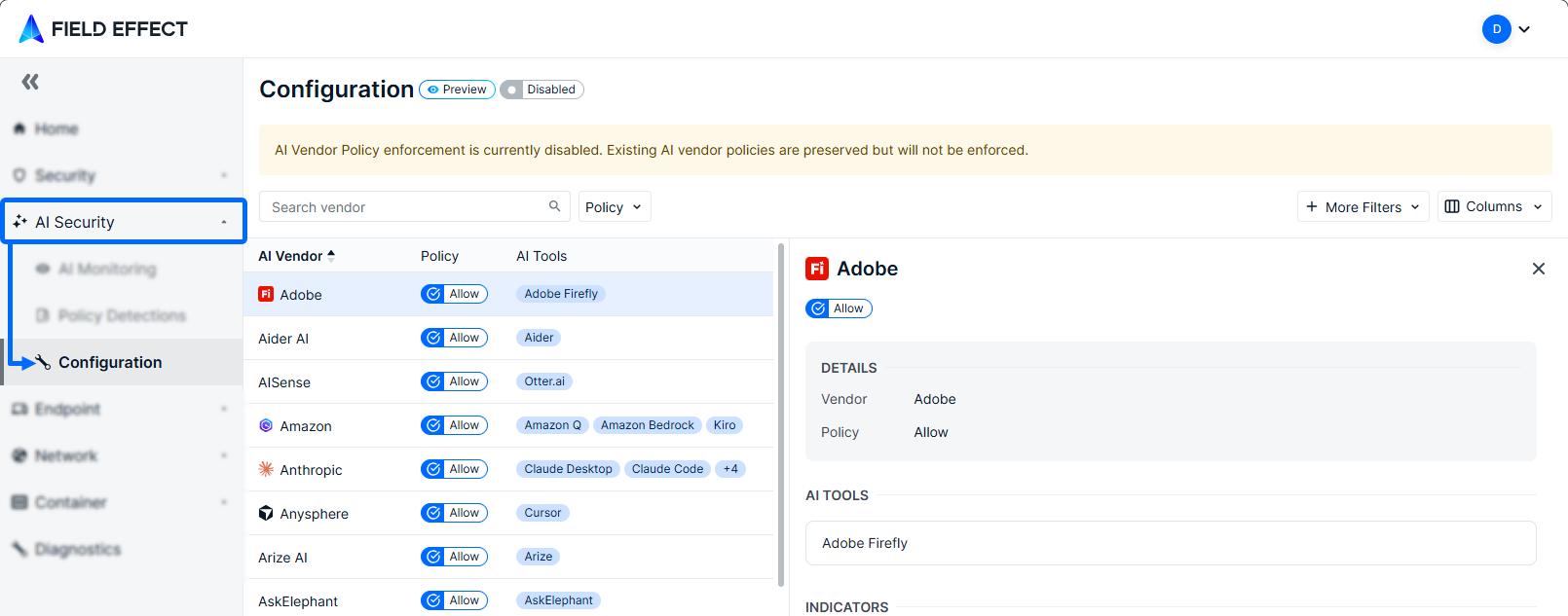
You can enforce additional AIDR functionality via the endpoint agent. We recommend that administrators deny all AI tools by default and allow only those allowed by governance policy for users.
There are two ways to configure AI Security at endpoints - please select your preferred option:
| Tool | Intended Audience | Help Center Article |
|---|---|---|
| Vision | Partners | |
| MDR SIEM Portal | Direct clients | AI Security: Configuration (MDR SIEM Portal) |
Leverage AIDR Functionality
Once AIDR functionality is enabled, you can begin to view AI usage taking place in your environment, and as take actions to contain unauthorized AI use.
Learn more about monitoring AI use with Field Effect MDR:
| Tool | Intended Audience | Help Center Article |
|---|---|---|
Vision | Partners | AI Monitoring (Vision) |
MDR SIEM Portal | Direct clients | AI Monitoring (MDR SIEM Portal) |
Every time a detection is made, it's listed on the Policy Detections page, which is available via Vision or the MDR SIEM Portal. Learn more about viewing policy detections:
| Tool | Intended Audience | Help Center Article |
|---|---|---|
Vision | Partners | Policy Detections (Vision) |
MDR SIEM Portal | Direct Clients | Policy Detections (MDR SIEM Portal) |
Was this article helpful?
That’s Great!
Thank you for your feedback
Sorry! We couldn't be helpful
Thank you for your feedback
Feedback sent
We appreciate your effort and will try to fix the article