Introduction
If you are using a QNAP device, we offer a custom-built installer to support them. This article outlines how you to get the QNAP installer, and a common troubleshooting issue.
Obtaining the QNAP Installer
The QNAP agent isn't available for direct download from the MDR Portal. Since the installer needs to be packaged with your organization's licensing information, we provide it through a support request instead.
Please reach out to support@fieldeffect.com to request the QNAP installer. When making the request, provide the architecture of the QNAP device(s) that are relevant to your deployment (for example, x86_64, ARM64, ARMv7, etc.).
Troubleshooting: "Unable to install the Package"
In order to install the .qpkg you must "allow the installation of applications without a digital signature".
Failure to do so will result in the following error and this entry within your System Event log.
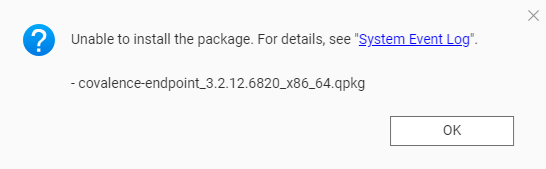

To fix this issue:
- Open the Microsoft App Center
- Click on the "cog" icon on the toolbar
- In the Settings window that then appears, go to General
- Enable "Allow installation of applications without a valid digital signature".
- Click Apply
- Install our endpoint agent for QNAP
- Disable the setting "Allow installation of applications without a valid digital signature".
Was this article helpful?
That’s Great!
Thank you for your feedback
Sorry! We couldn't be helpful
Thank you for your feedback
Feedback sent
We appreciate your effort and will try to fix the article