Introduction
NOTE: This article focuses on the Home tab when set to a client view. If you're a Field Effect partner, you'll have access to an organization selector that functions in the same way as the Field Effect Portal's organization selector.
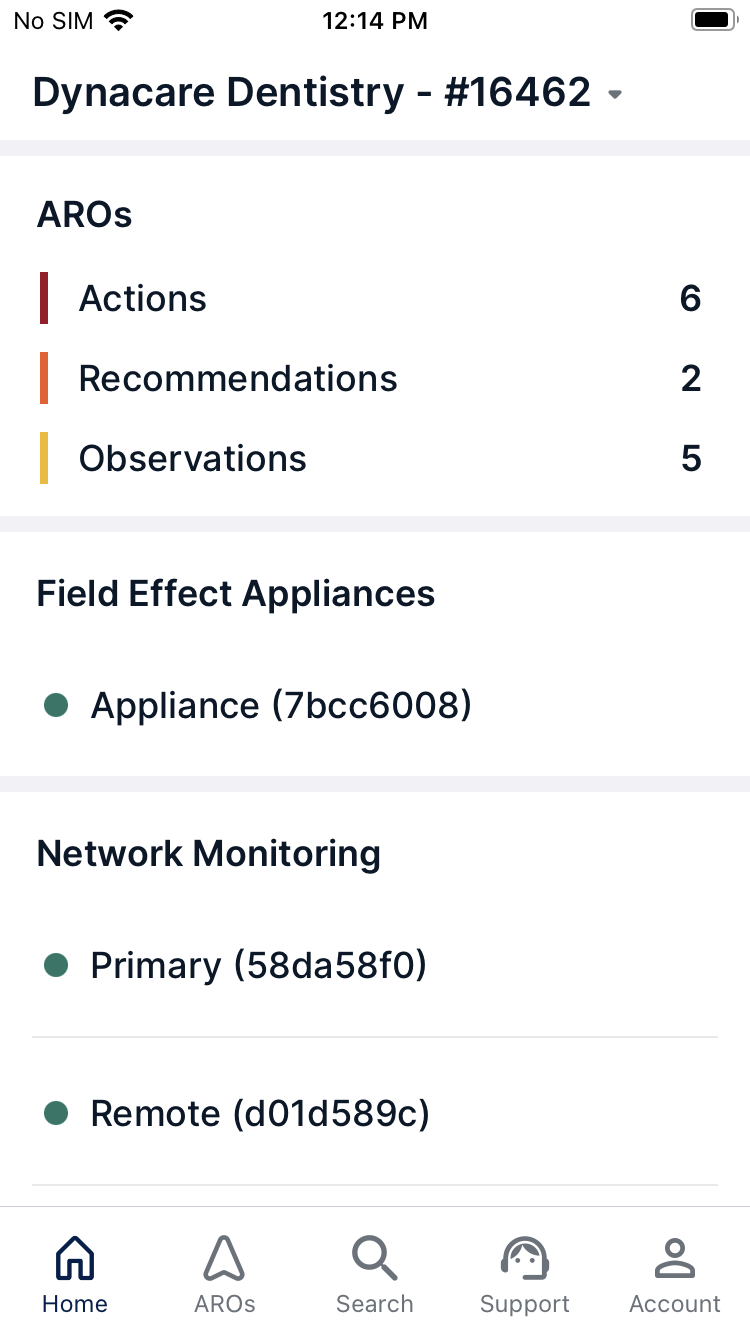
From the app’s Home tab, you can get an overview of your organization’s overall health in terms of AROs, services, and features. The top of the tab sorts and tallies AROs by type; tap an ARO type to open the Search tab pre-filtered to that type.
The rest of this tab reports the status of your network sensor(s), cloud services, endpoint devices, and the DNS Firewall. Green indicators show that a service is connected and working as expected. Any services with an issue will have a red or yellow indicator. In the image below, all the organization’s services are running as expected.
Was this article helpful?
That’s Great!
Thank you for your feedback
Sorry! We couldn't be helpful
Thank you for your feedback
Feedback sent
We appreciate your effort and will try to fix the article