Introduction
Partners: When the Organization Selector is set to the partner view, the details presented on this page refer to your organization. When set to a specific client view, the details on this page refer to the client organization. Ensure that the Organization Selector is set to the appropriate client before continuing.
The Administration section's Service Profile page stores details about your organization that helps Field Effect MDR understand, contextualize, detect, and respond to external threats facing your organization. This article introduces the Service Profile and its tabs, as well as offer links to other resources.
The Sections of the Service Profile
The Service Profile is organized into three tabs:
- Monitoring Profile: stores technical data about your organization. This information allows our analysts to better understand, contextualize, and characterize the activity being monitored by Field Effect. For some features to function (DNS Firewall) a Monitoring Profile must be configured.
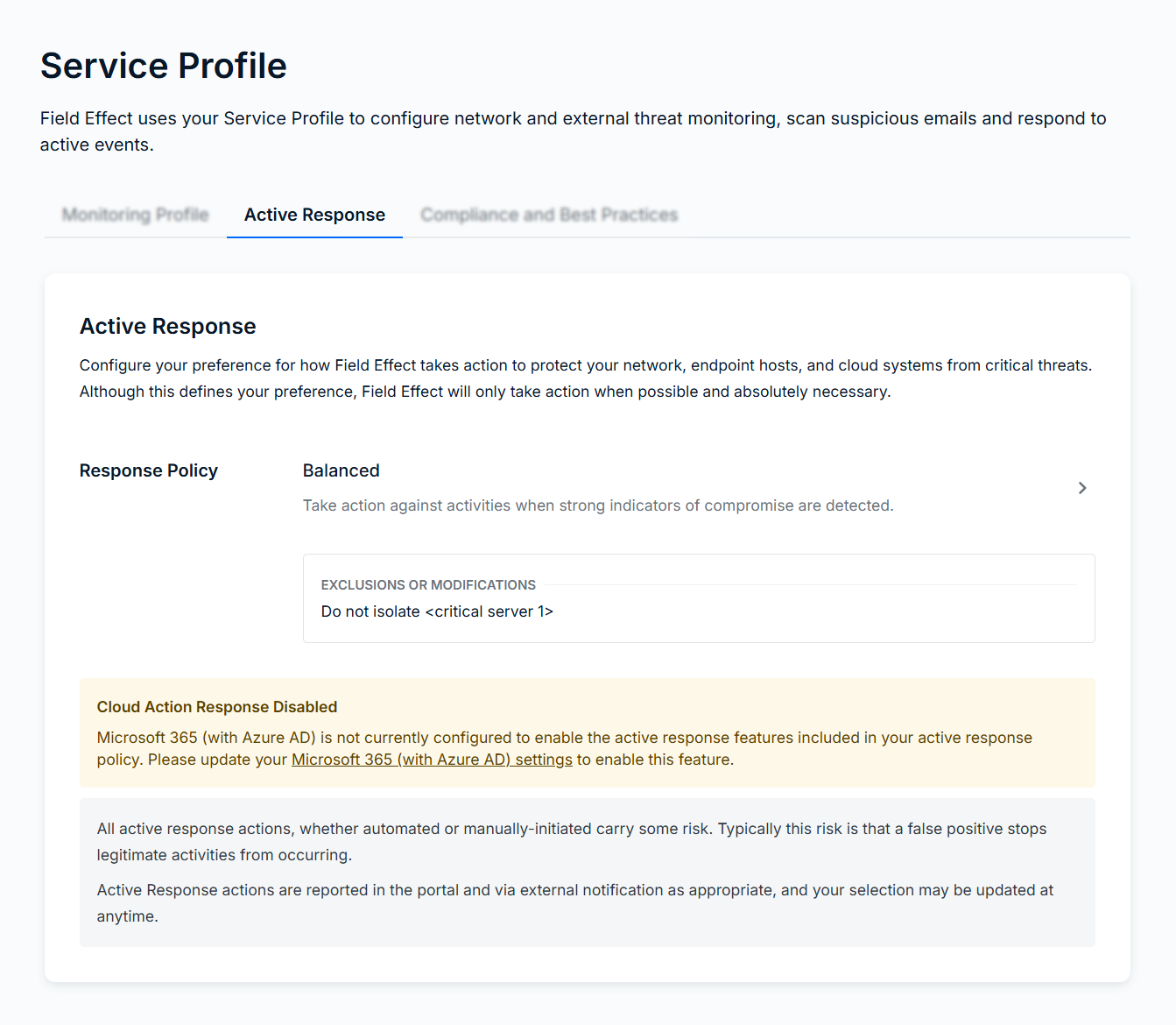
- Active Response: stores the configuration settings for Active Response, which gives Field Effect the ability to perform extra countermeasures when a threat is detected, either manually or automatically.
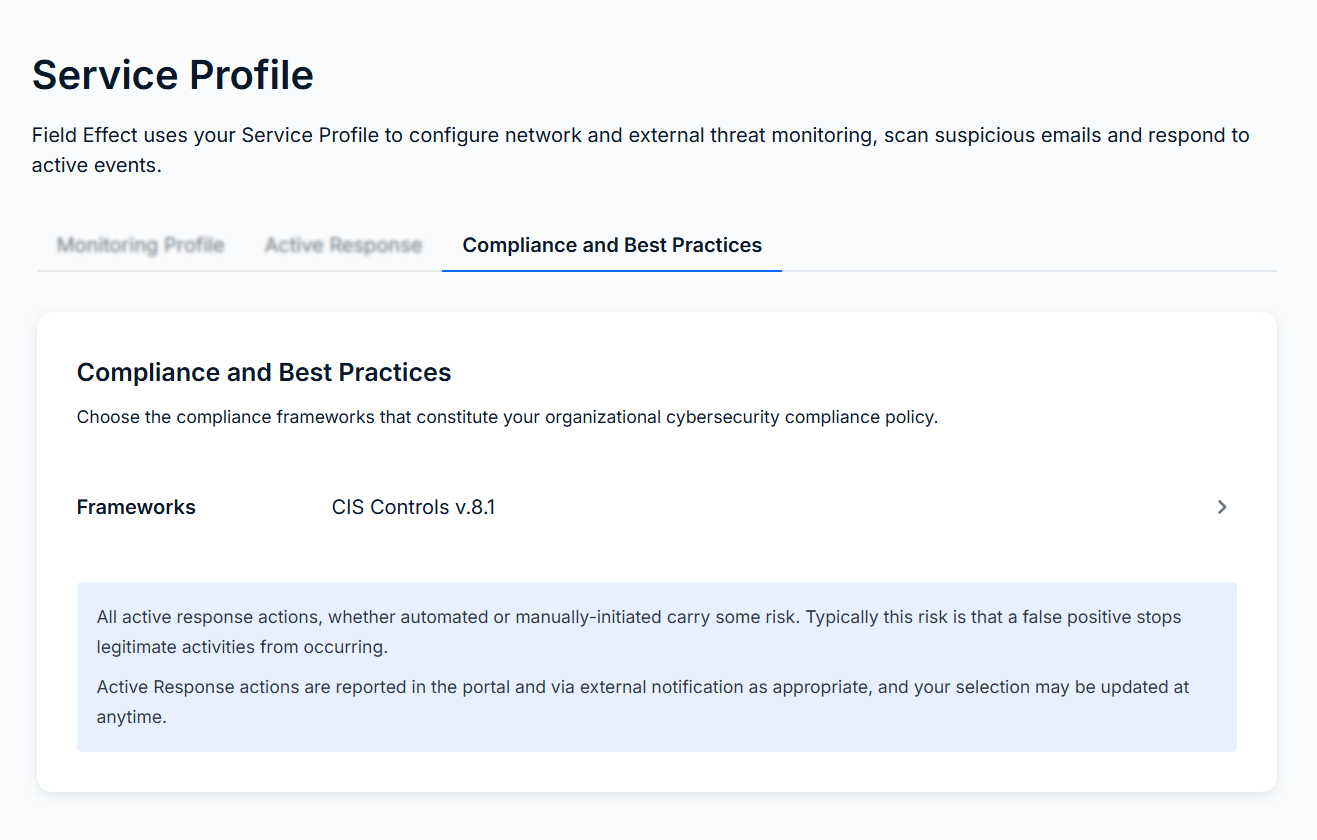
- Compliance & Best Practices: Some of the AROs you receive may impact your organization’s compliance with a given framework. Field Effect can map AROs to related compliance controls and include information within the ARO on how it has a compliance impact.
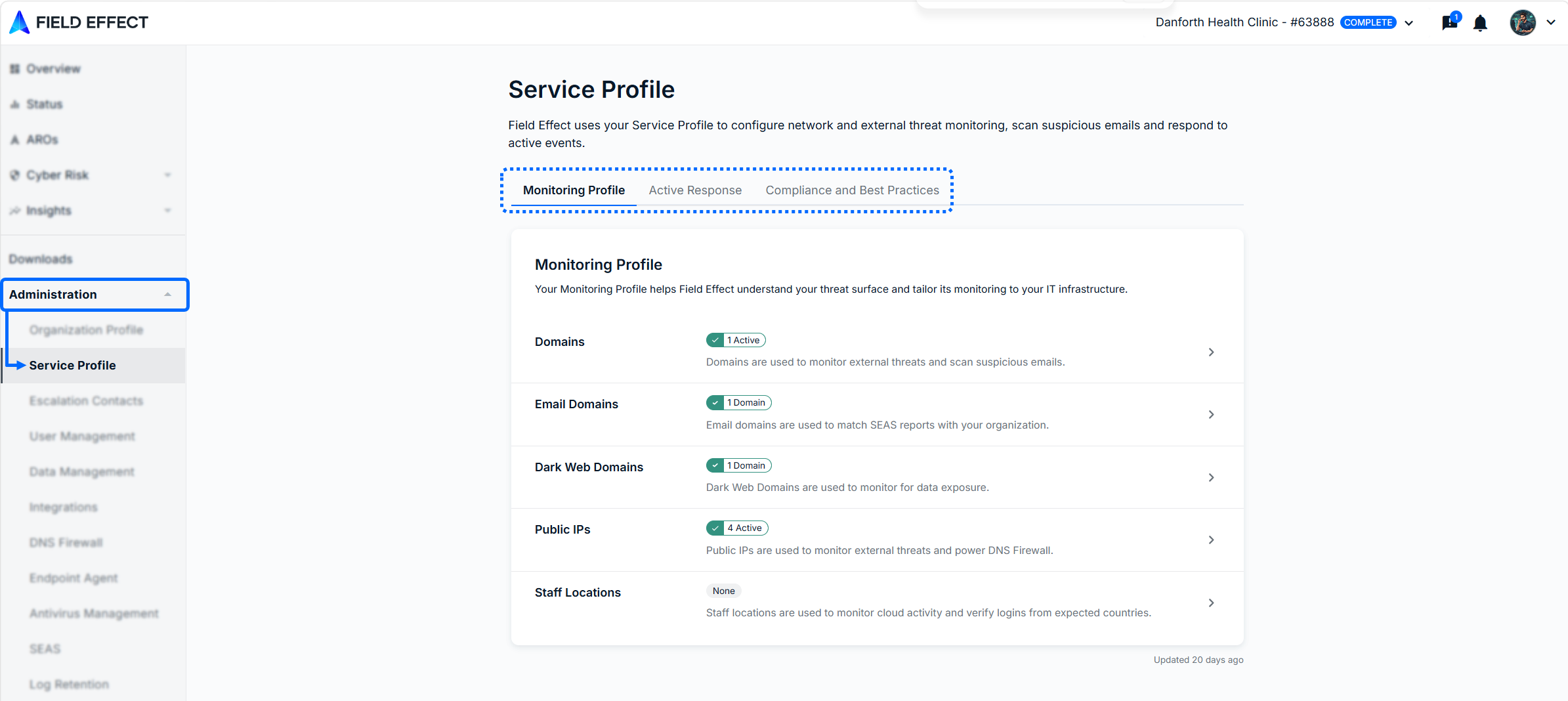
The following sections provide details about each section of the Service Profile page and provide links to content where you can learn more about that setting or feature.
Monitoring Profile
The Monitoring Profile tab (shown above) stores information about your organization that helps Field Effect, and our analysts, better understand, contextualize, and characterize the activity being monitored. Some of the information in the monitoring profile is required to enable features like SEAS or the DNS Firewall. To learn more, see Monitoring Profile: Overview.
This video overview introduces the Monitoring Profile:
Active Response
This tab stores the configuration settings for Active Response, which gives Field Effect the ability to perform extra countermeasures when a threat is detected, either manually or automatically.
To learn more about Active Response, visit our knowledge base chapter on the feature.
Compliance and Best Practice
Some of the AROs you receive may impact your organization’s compliance with a given framework. Field Effect can map AROs to related compliance controls and include information within the ARO on how it has a compliance impact. For more on enabling this feature, see Compliance Mapping for AROs.
Was this article helpful?
That’s Great!
Thank you for your feedback
Sorry! We couldn't be helpful
Thank you for your feedback
Feedback sent
We appreciate your effort and will try to fix the article