Introduction
This article describes the Field Effect MDR integration with Box, and covers the following:
Integration Details
This integration allows Field Effect MDR to access your organization's Box reporting for monitoring and analysis.
Requirements
To complete this integration, you'll need the following:
- A Box account for your organization with administrator credentials.
- Administrator access to the Field Effect MDR Portal.
Setting up the Integration
Note for Partners: This procedure is performed on a per-client basis. Ensure that the organization selector is set to the appropriate client before continuing.
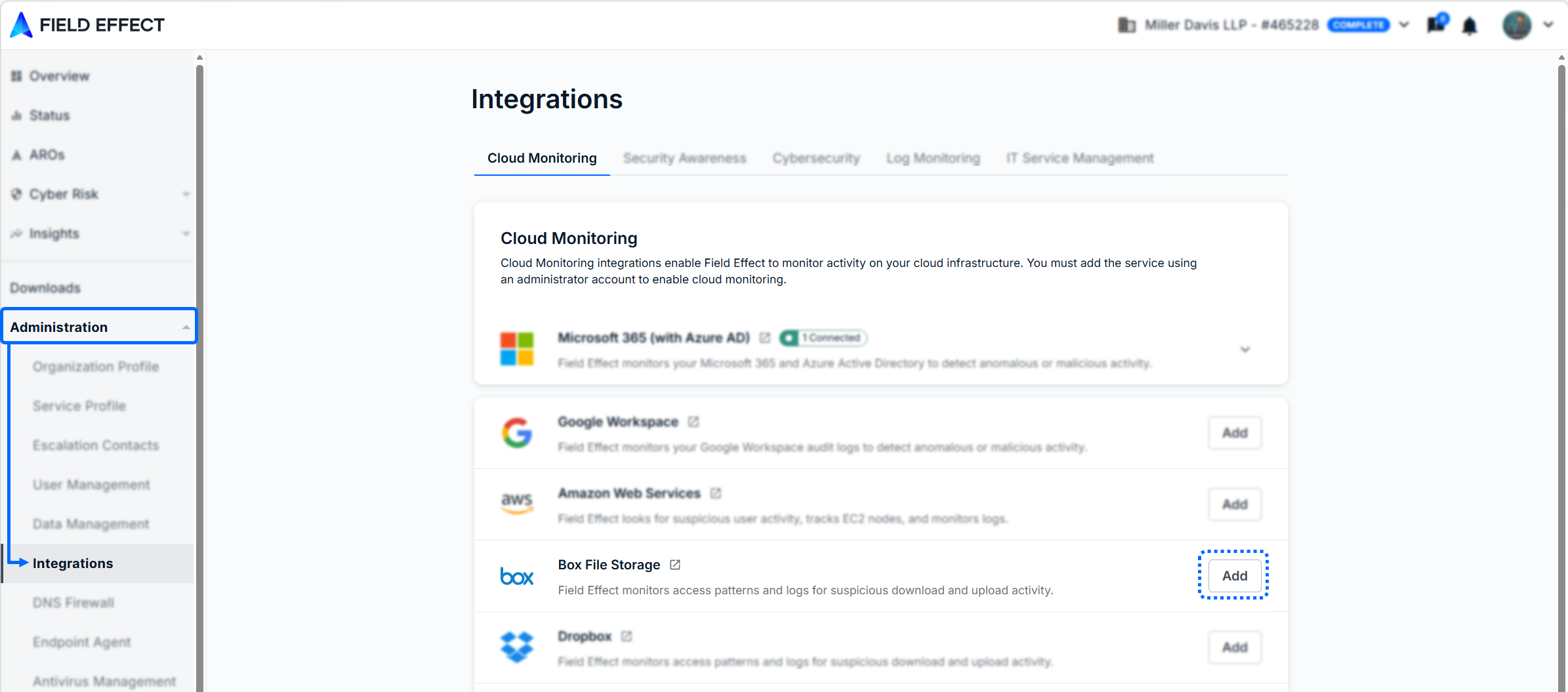
Navigate to the Field Effect MDR Portal's Administration > Integrations page. From the Cloud monitoring tab, click Add for the Box card.
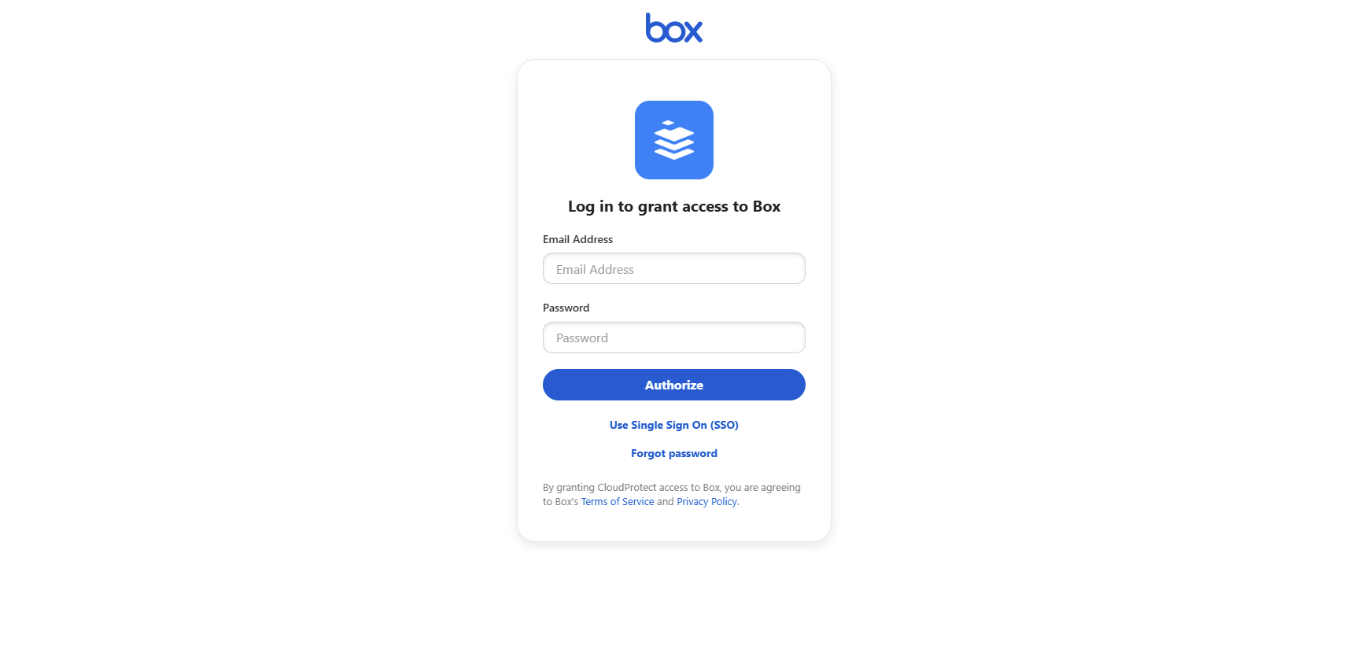
You'll be taken to a Box sign on page. Log in using your organizational Box account - which must be an administrator account.
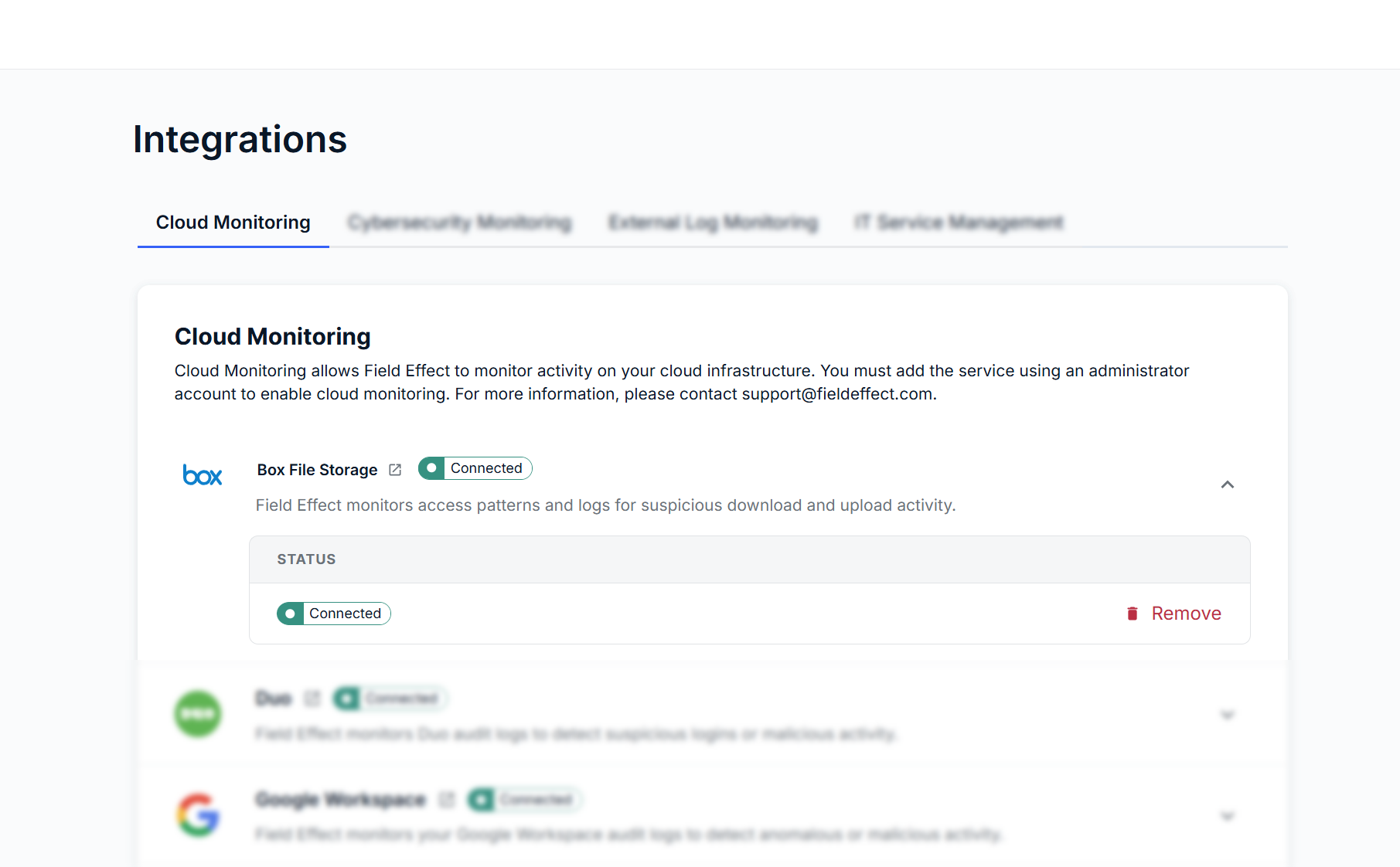
You'll be taken back to the integrations page, and the integration card will show that the integration is connected and promoted to the top, alongside any other connected integrations.
Was this article helpful?
That’s Great!
Thank you for your feedback
Sorry! We couldn't be helpful
Thank you for your feedback
Feedback sent
We appreciate your effort and will try to fix the article