Introduction
You must have the Admin permission level to manage users.
The User Management page allows administrators to view and manage user accounts associated with their organization in the Field Effect MDR Portal. From this page, you can review existing users, update user permissions, monitor invitation status, and remove access when required.
Partners: The User Management page may display different users depending on the organization selected in the Organization Selector. When viewing your partner organization, you can manage users within your MSP organization. When viewing a client organization, you can manage users belonging to that specific client
This article covers the following topics:
- Access the User Management Page
- What You Can do from the User Management Page
- Search & Filter Users
- Video Overview: User Management
- Related Articles
Access the User Management Page
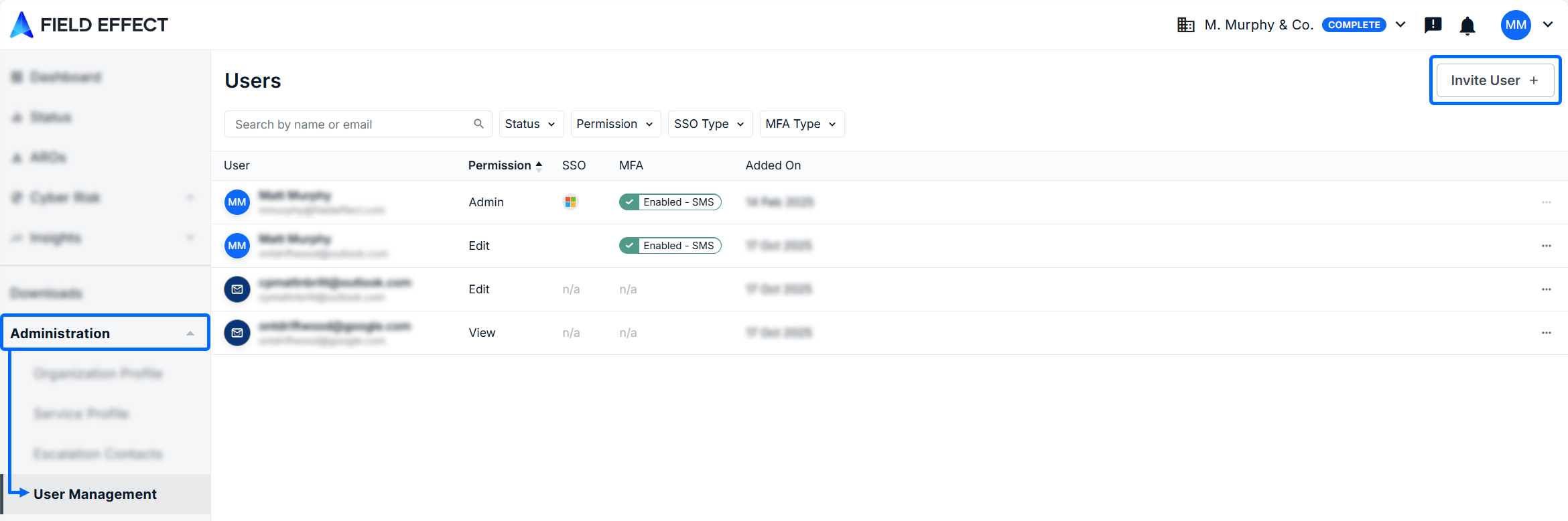
To access this page:
- Log into the MDR Portal.
- If you are a partner, ensure the organization selector is set to the appropriate view
- Navigate to Administration >
What You Can do from the User Management Page
The User Management page provides a central location to:
- View all users associated with an organization
- Search for users by name or email address
- Filter users to quickly locate specific accounts
- Review user permissions
- Modify user access and permissions
- Remove user access when require
Search & Filter Users
The filters and search bar work in tandem, so you can further narrow the results of a search using filters.
To find a specific user, type their name or email address in the search bar above the user table The table will filter results as you type characters into the search bar.
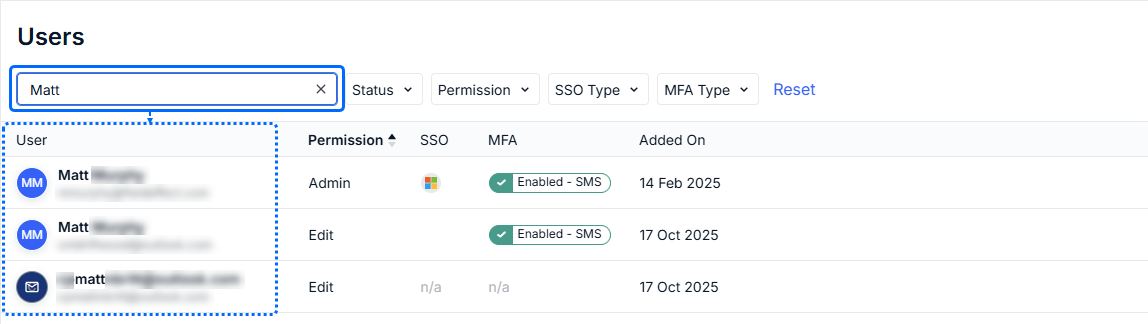
This page offers the following filter parameters, available via dropdown menu:
| Filter | Purpose |
|---|---|
| All | Display all users |
| Admins | Show users with administrator permissions |
| MFA Disabled | Identify users who have not enabled multi-factor authentication |
| Invitations | View pending user invitations |
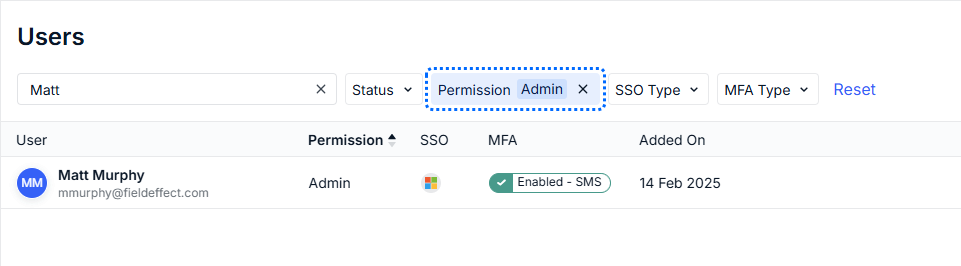
In the example below, the admin filter is enabled, filtering the "Matt" search results to the only user named Matt with Admin permissions.
Video Overview: User Management
The following video outlines the user management workflows available in the MDR Portal.
Related Articles
See the following articles to learn more about managing users in the MDR Portal:
Was this article helpful?
That’s Great!
Thank you for your feedback
Sorry! We couldn't be helpful
Thank you for your feedback
Feedback sent
We appreciate your effort and will try to fix the article